Skip to content
All releases v2.18.0

Payroll arrives — run each month's salaries end to end, with staff attendance and leave feeding straight into what everyone is paid.

Staff & Leave

Payroll

Payroll now has its own home in ScholaRise: staff salaries listed by name with each person's monthly pay, a This month page showing where the month stands, what needs attention and who still has to approve, and pay runs you can follow through to payslips. Setup is plain forms — pay calendar, employers, approval steps, statutory rules, salary templates and tax slabs. Staff can see their pay before payday and raise a problem if something looks wrong.

Salaries account for absences and mid-month changes

Salaries are worked out from the days each person was actually covered, so unpaid leave, absences and joining or leaving part-way through the month are reflected in the pay. An increment applies from the date it takes effect, and any arrears owed are paid along with it.

Advances, deposits, bonuses and holds

Staff advances, security deposits, one-off bonuses, arrears and salary holds can be set up once and are then applied to each month's salary automatically. Open Payroll and pick the Adjustments tab.

Payslips show what each pay item is worth

Payslips now show each pay item's full monthly rate next to what was actually paid, and say how much absences and unpaid leave cut from the total.

A payslip showing each pay item's rate beside what was paid after one day of unpaid leave
The same payslip in dark mode
The downloadable payslip with each pay item's rate beside what was paid

ESI is worked out on basic pay and dearness allowance

ESI is now calculated on basic pay and dearness allowance, the way the rules require, instead of on total pay.

Payslips open for every member of staff

Payslips and staff pay details now open for staff who have no provident fund or ESI entry, instead of failing to load.

The payroll month follows the branch you pick

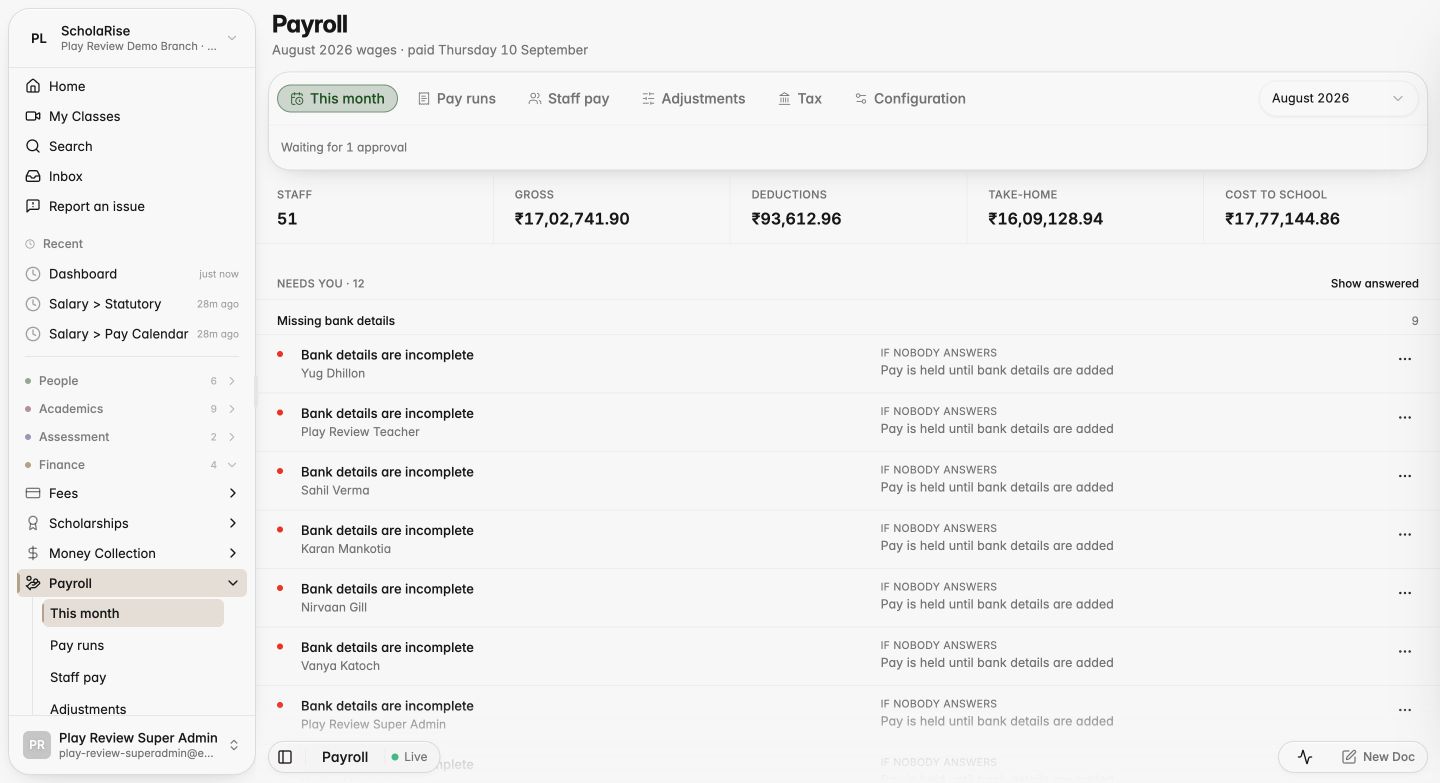
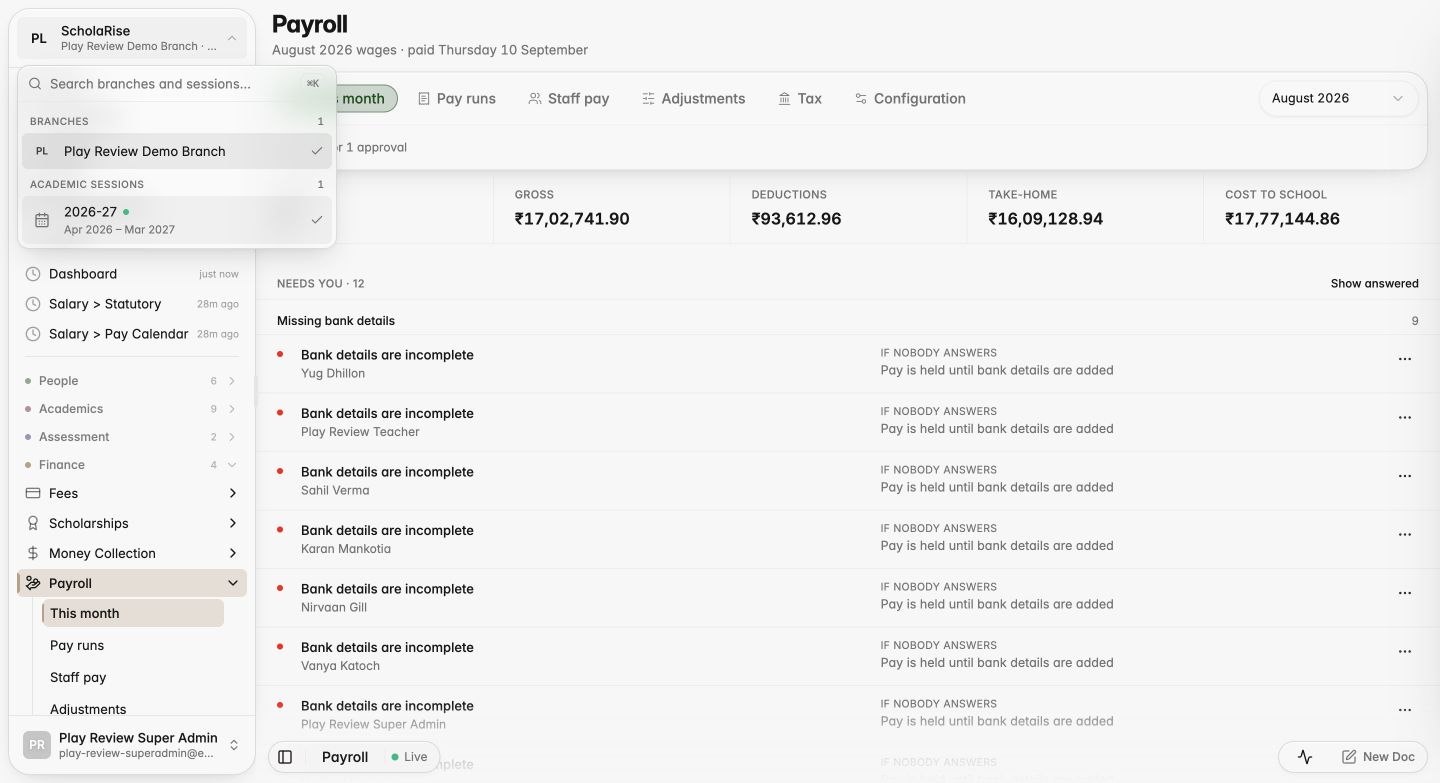
The This month page now follows the branch you choose in the sidebar, instead of showing its own separate row of branch buttons.

The payroll month page with just the status line under the tabs
Switching branches from the sidebar selector

Review staff attendance before pay is frozen

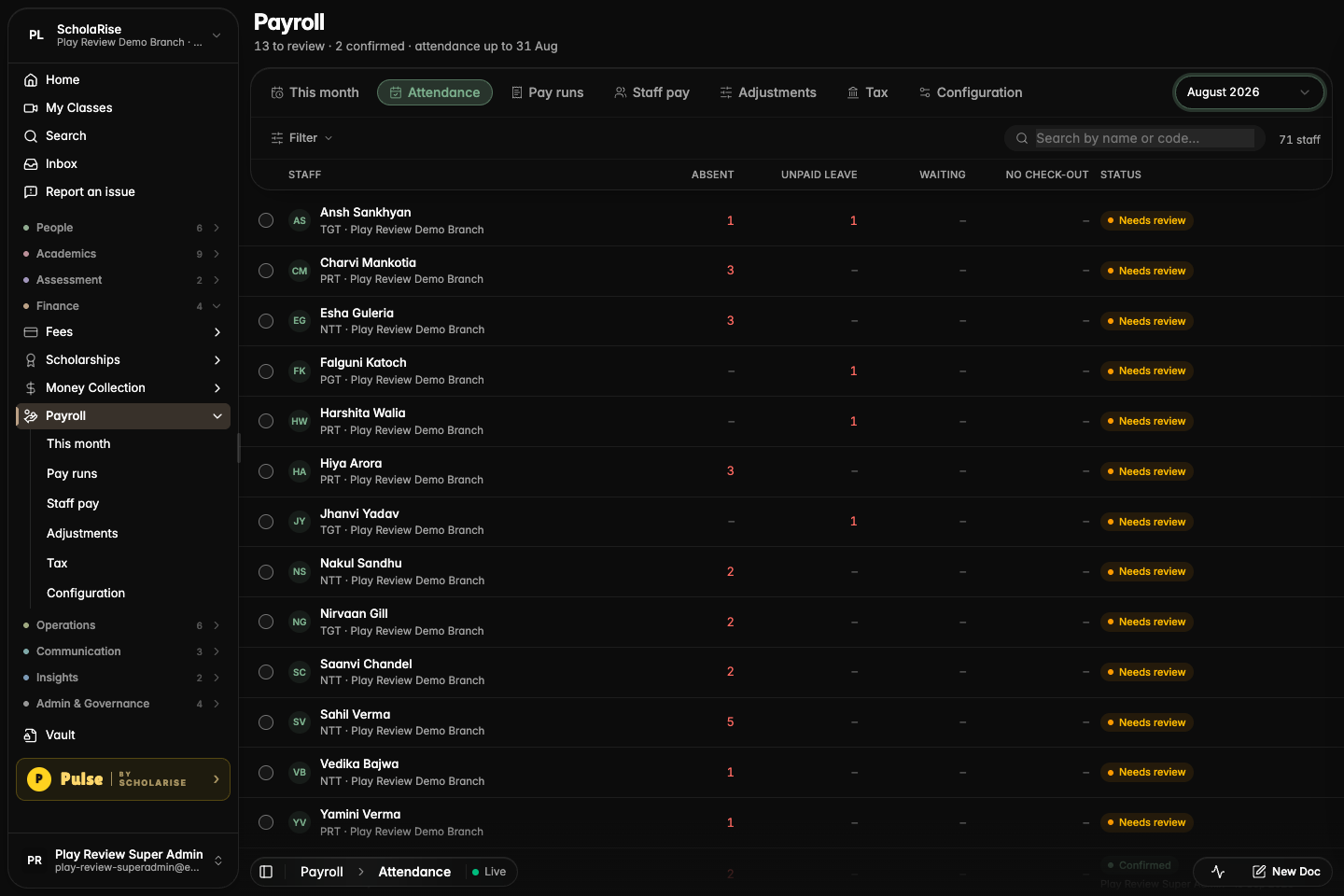
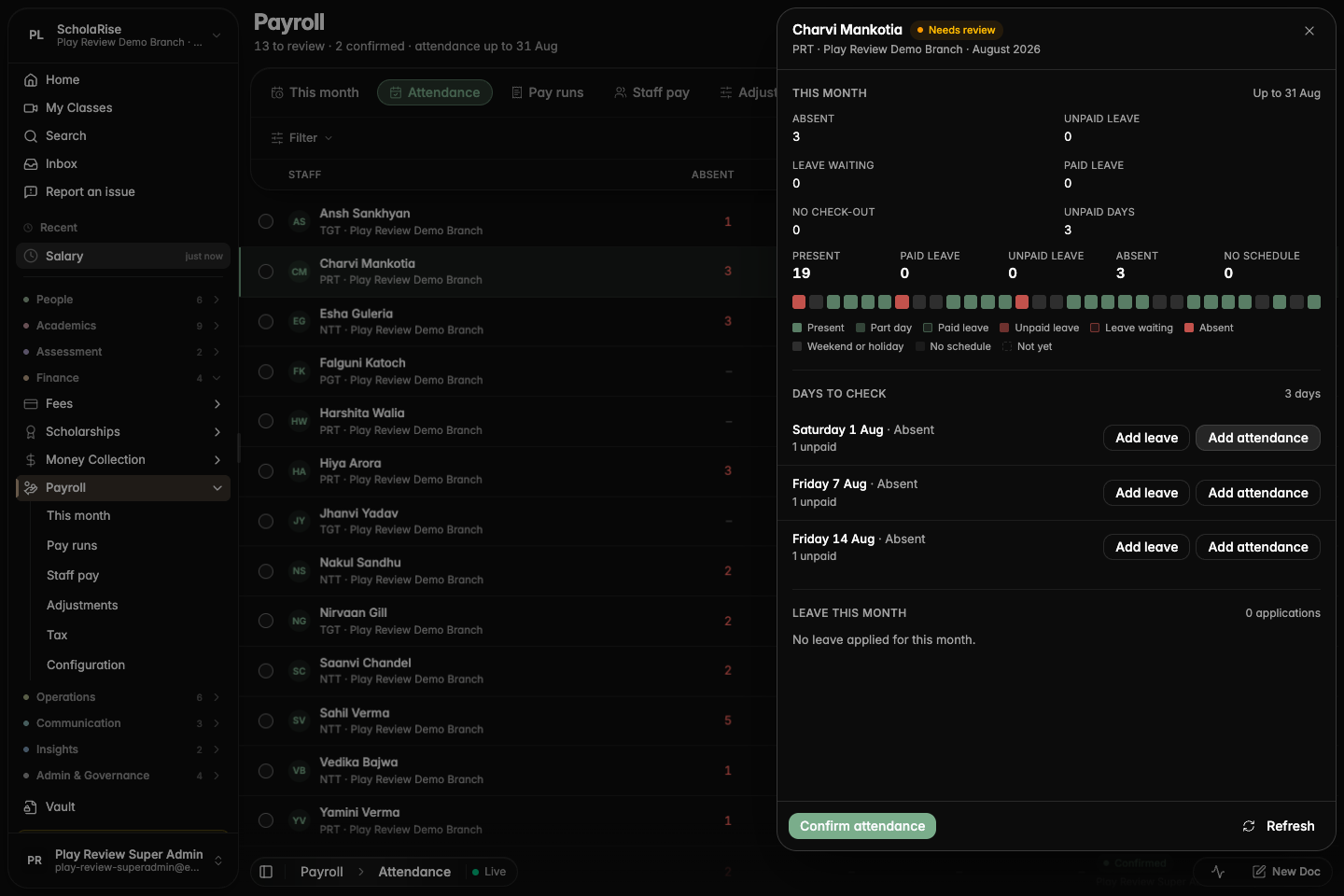
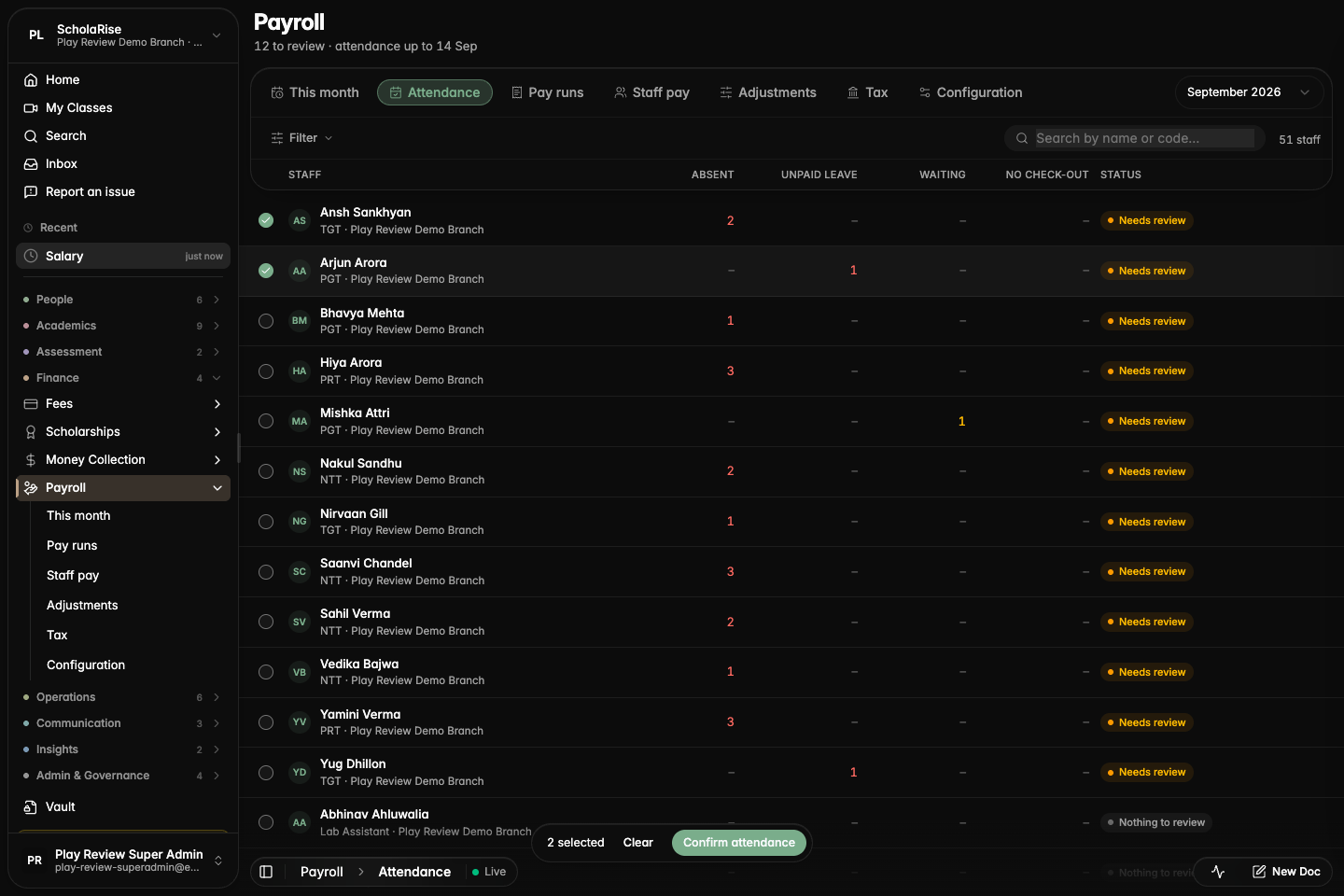
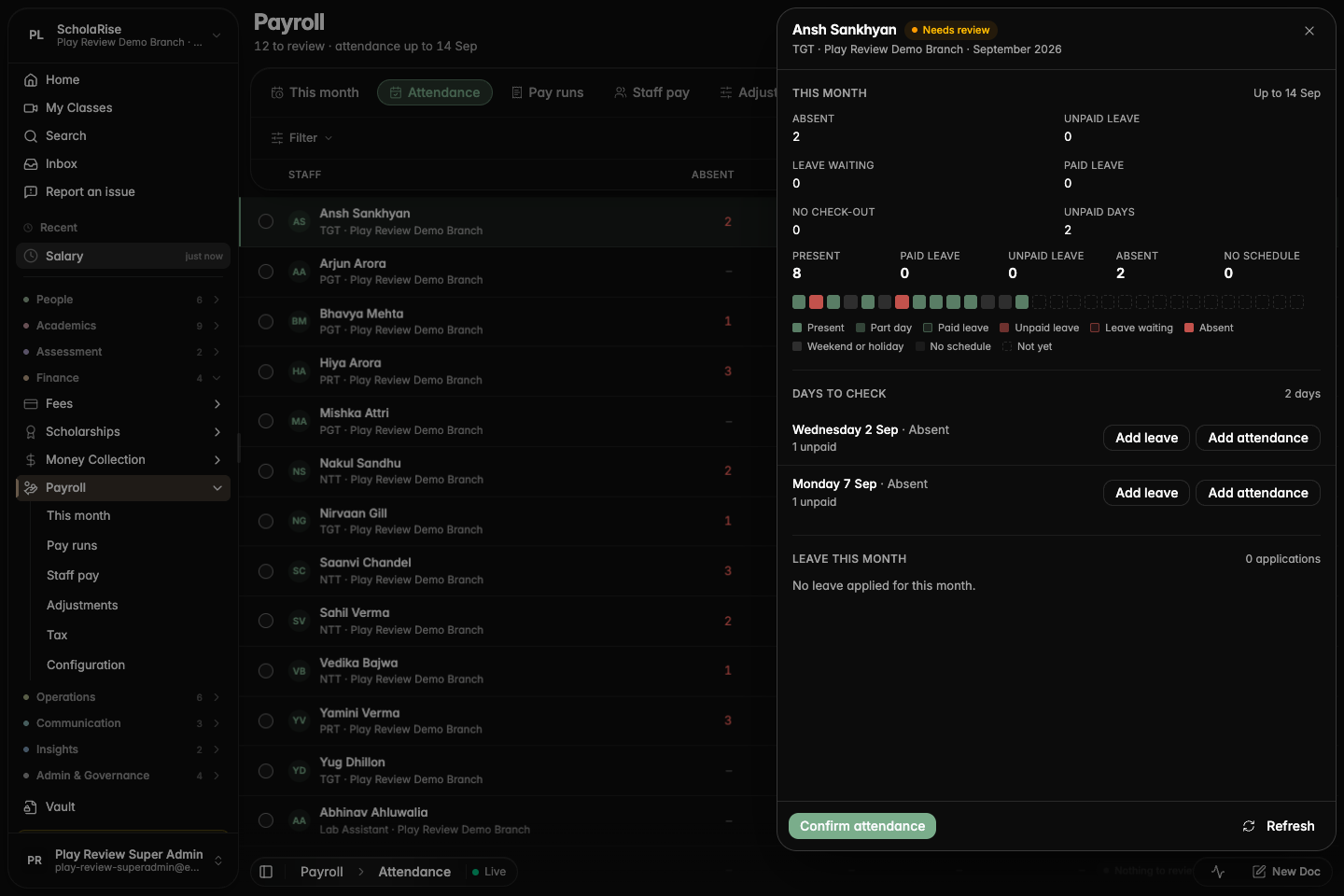
Payroll has a new Attendance tab for going through each person's absences and leave for the month, fixing what is wrong and confirming them before pay is frozen. You can approve leave that is still waiting, record a half day, switch a leave between paid and unpaid with balances following the change, and confirm several people at once. Only days that can actually change someone's pay are put up for review.

The new Attendance tab listing each person's absences, unpaid leave and review status
One person's month with the days to check and quick fixes for each
Approving leave that was waiting, right from the review
Confirming several people's attendance at once
The review sheet in dark mode

Everyone who works at the school, in one directory

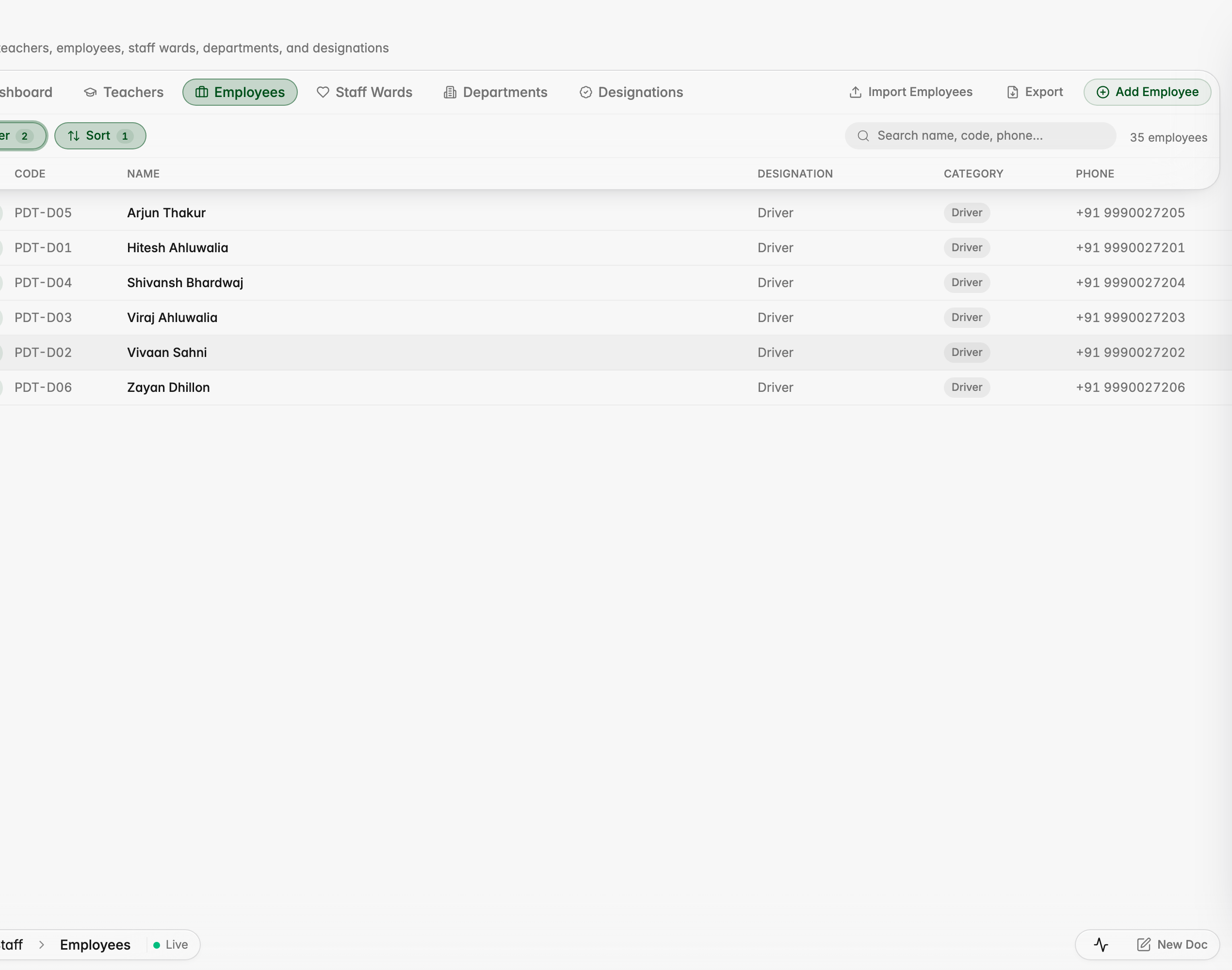
Drivers, conductors, housekeeping, security, gardening and other support staff now sit in the Staff module alongside teachers and office staff, each with a staff category you can filter by. Every one of them can be set up in Payroll, and a driver's record carries their licence, medical expiry and assigned bus.

The Employees list now shows each person's staff category, with drivers, conductors, housekeeping and security staff alongside office staff
Filter the Employees list by category, here showing only drivers
A driver's employee record carries a Transport section with licence, medical expiry and assigned bus
The Staff dashboard breaks the workforce down by category
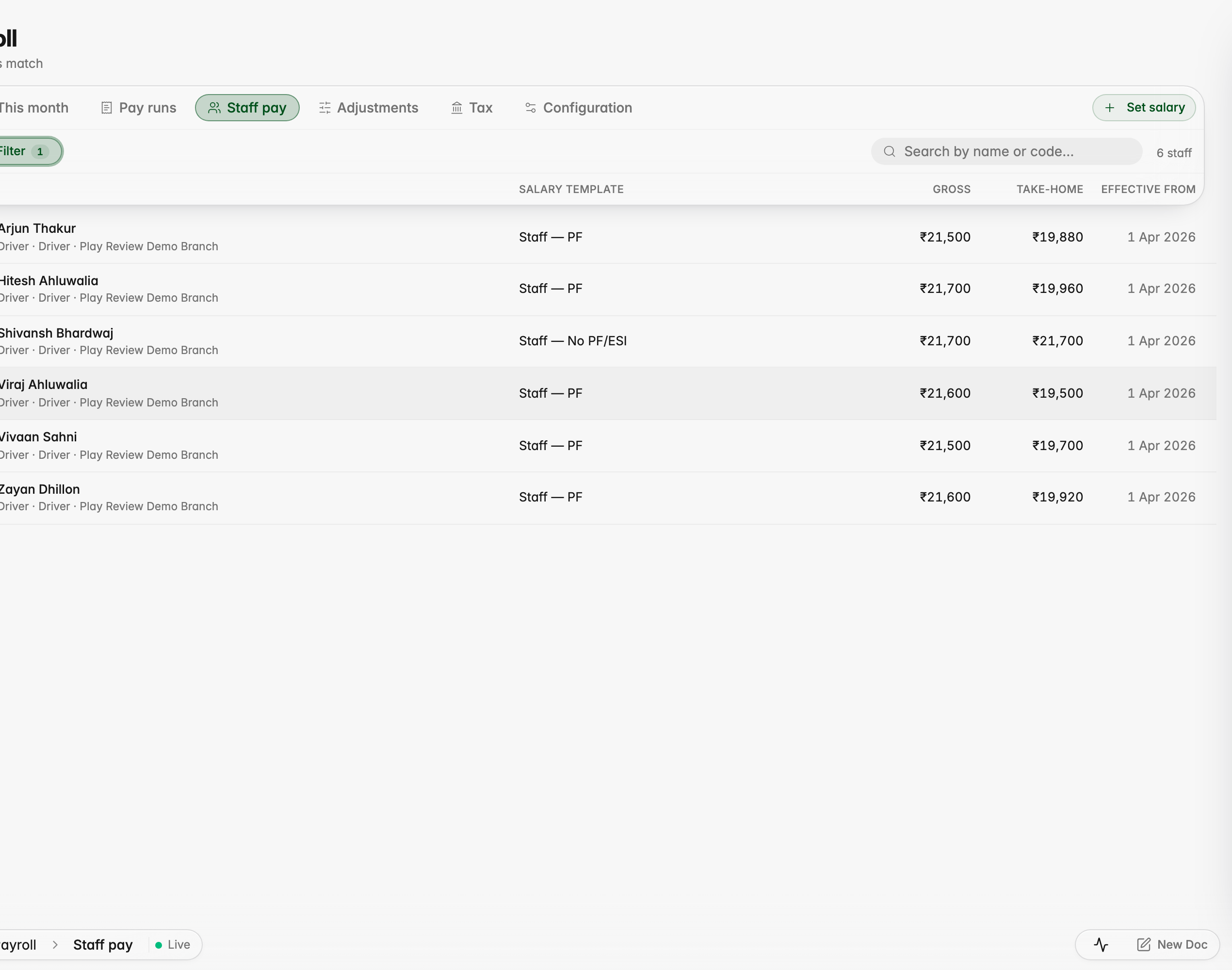
Staff pay lists teachers, drivers, guards and helpers together with their category
Payroll's Staff pay can be filtered to a single category, here drivers

Attendance

Staff Register for people who cannot punch

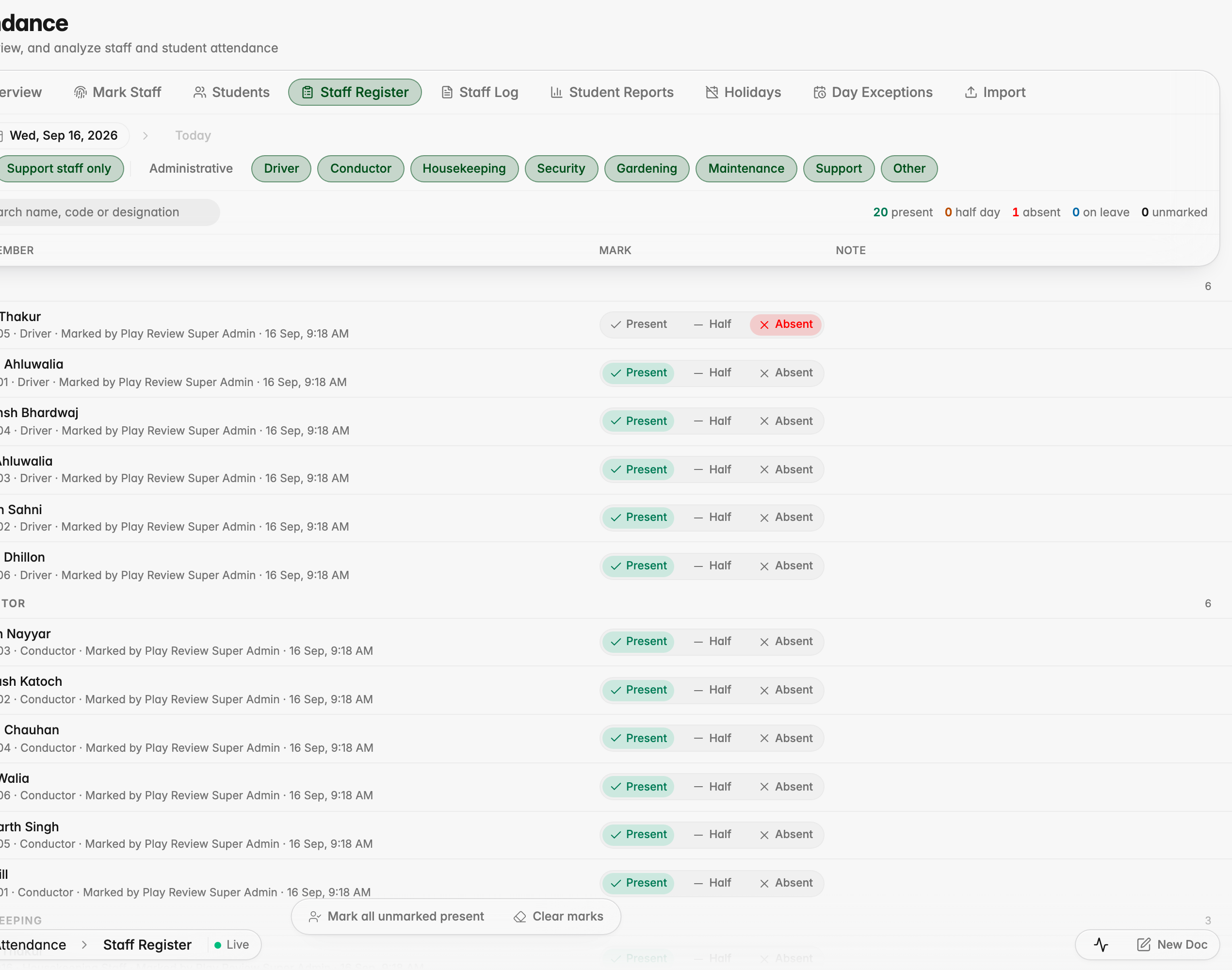
A supervisor can now mark the day for drivers, conductors, housekeeping, security and other support staff who cannot punch from the app. Pick a date and a category, mark each person Present, Half or Absent, add a note if you need to, then save. Payroll picks those marks up automatically, half days included.

The Staff Register: pick a date and a category, then mark each person Present, Half or Absent
After saving, each row shows who marked it and when
A half day marked for a past date; payroll docks half a day for it

Examination

Marks entry no longer loses a mark

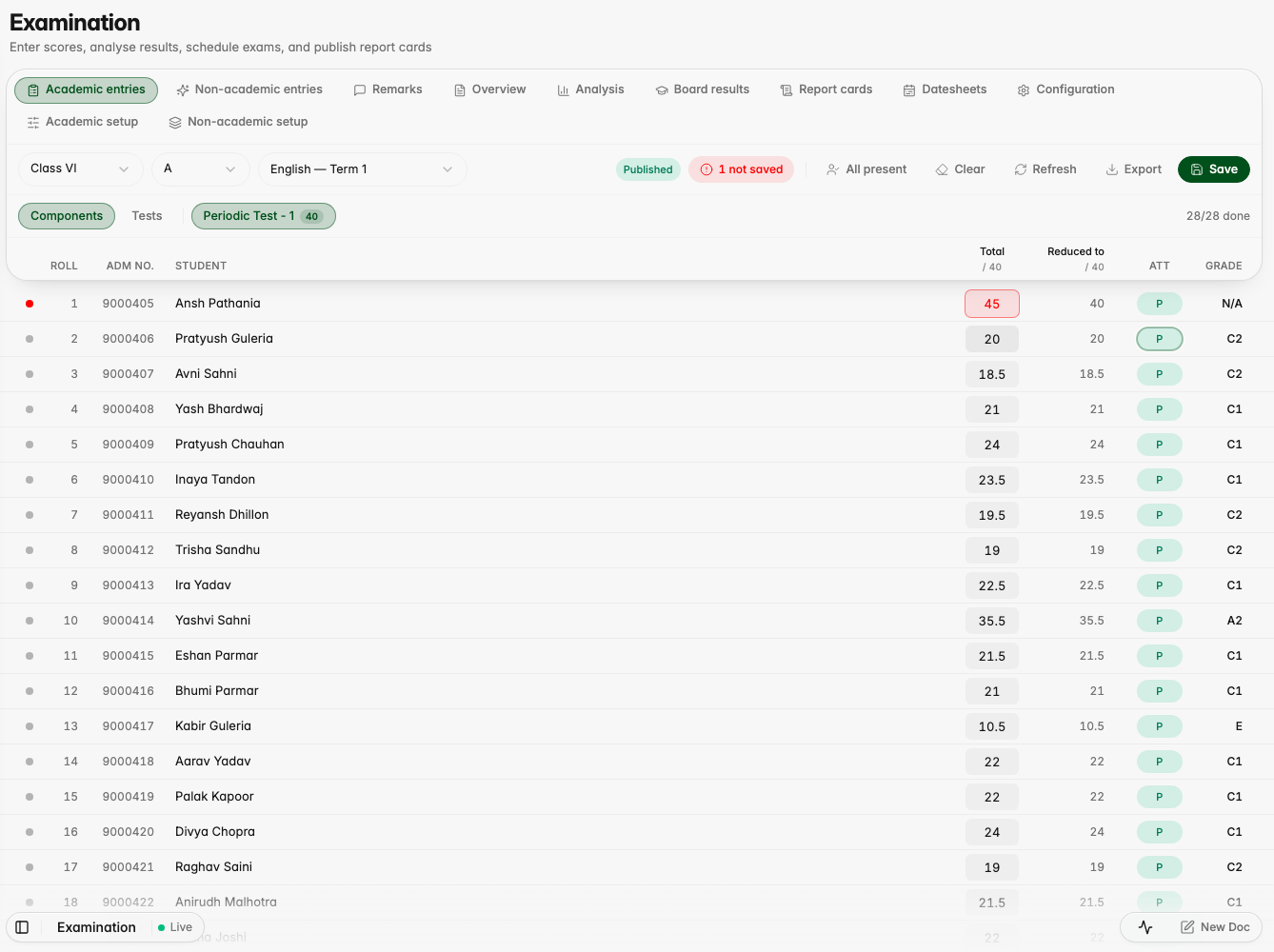
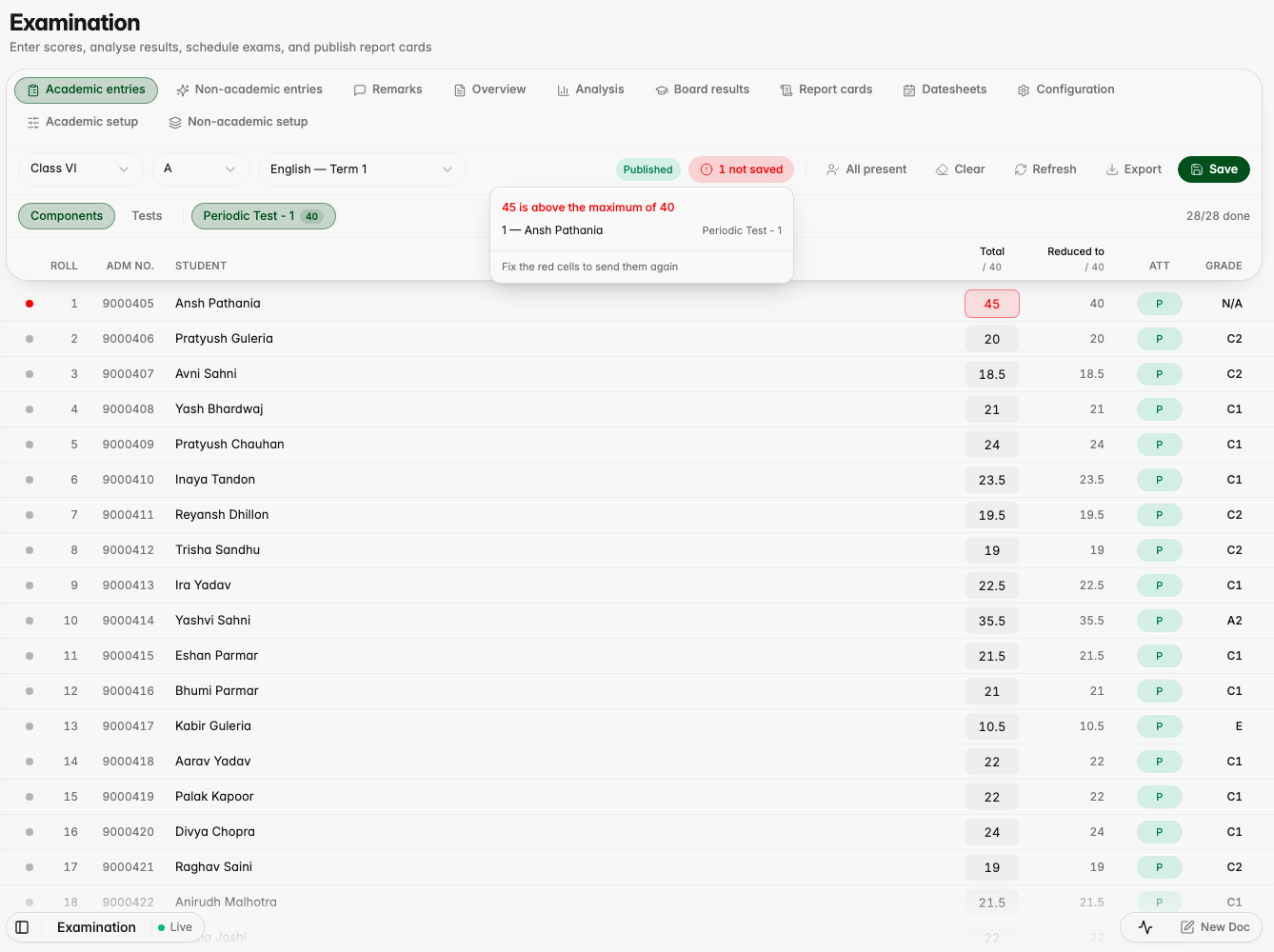
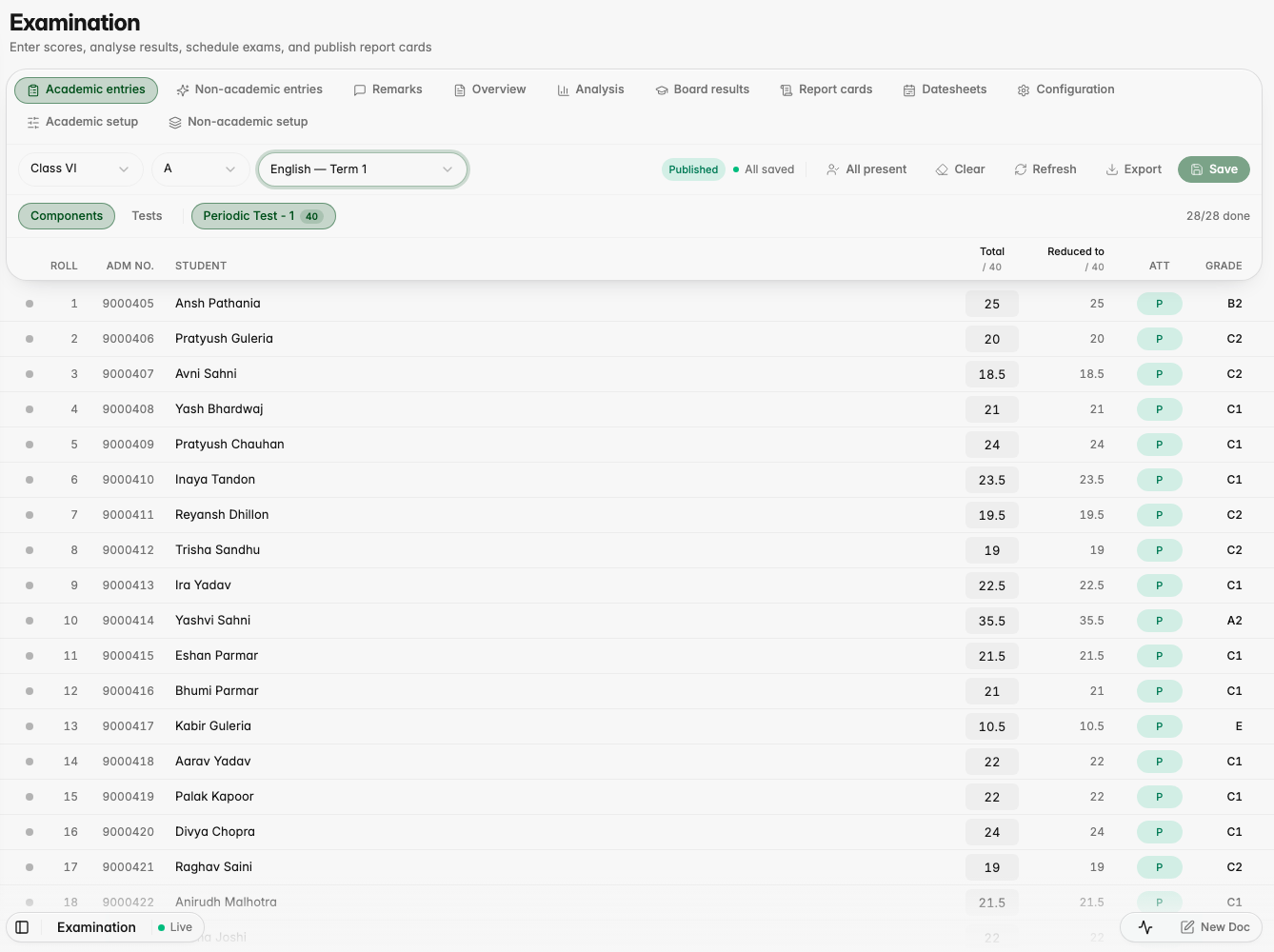
A mark above the maximum no longer stops the rest of the class from saving: the cell stays marked with the reason while every valid mark goes through, and a "not saved" list names the student, the cell and what went wrong. Marks you have not saved yet survive a reload, a save that lost its connection is recognised when it retries instead of failing all over again, and a mark saved on another device can no longer be quietly replaced by an older one.
A mark above the maximum stays red with the reason while the next student's valid mark saves
"1 not saved" opens a list naming the student, the cell and why it was not saved
After a reload the invalid value was never written and the valid mark is still there

Entries Overview no longer slows everything else down

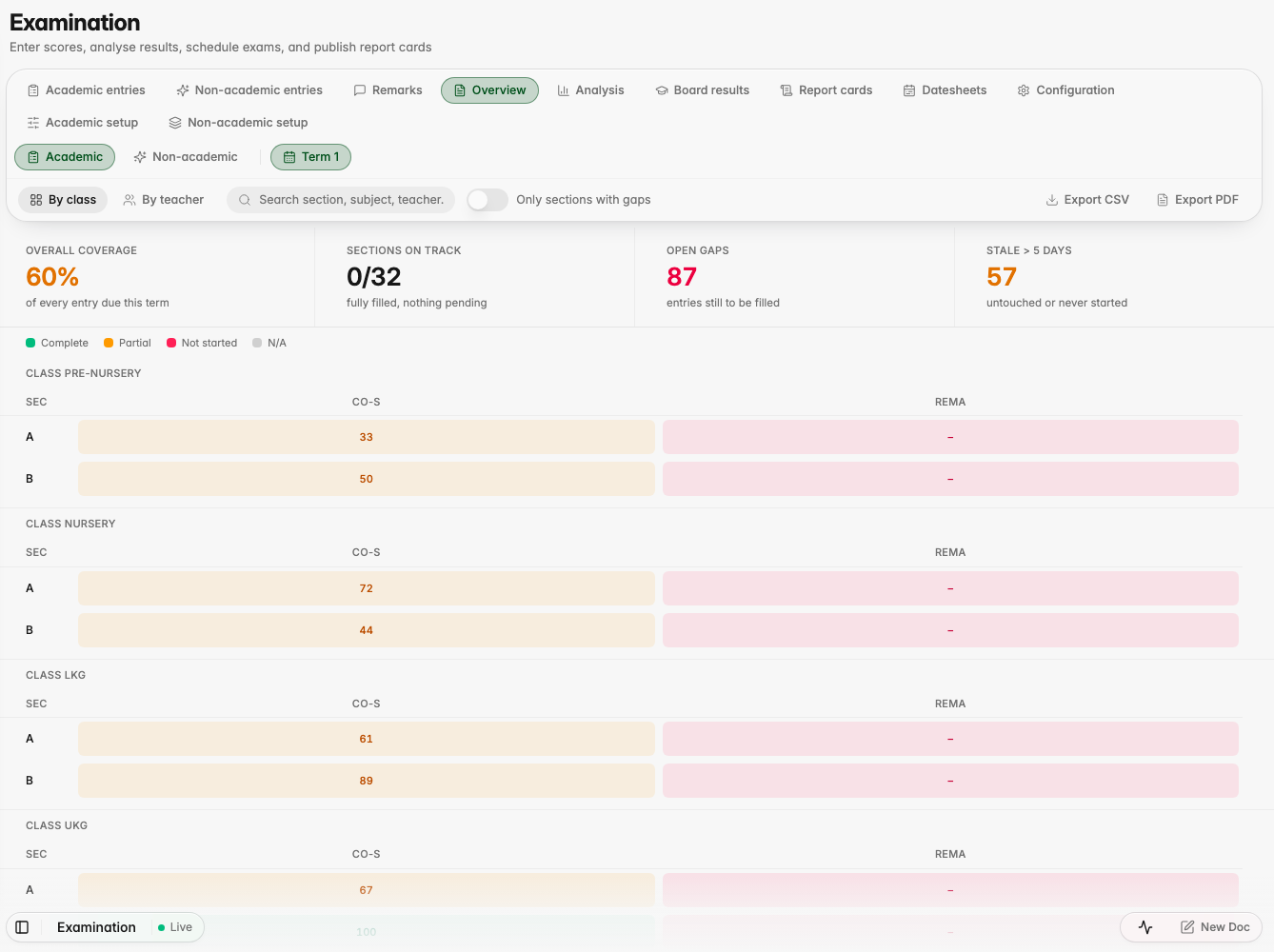
The Entries Overview report now loads on its own without holding up the rest of the app, and offers you Try again if it takes too long instead of sitting there frozen.

The Entries Overview report on the demo branch

Students

CBSE registration uses each student's own subjects

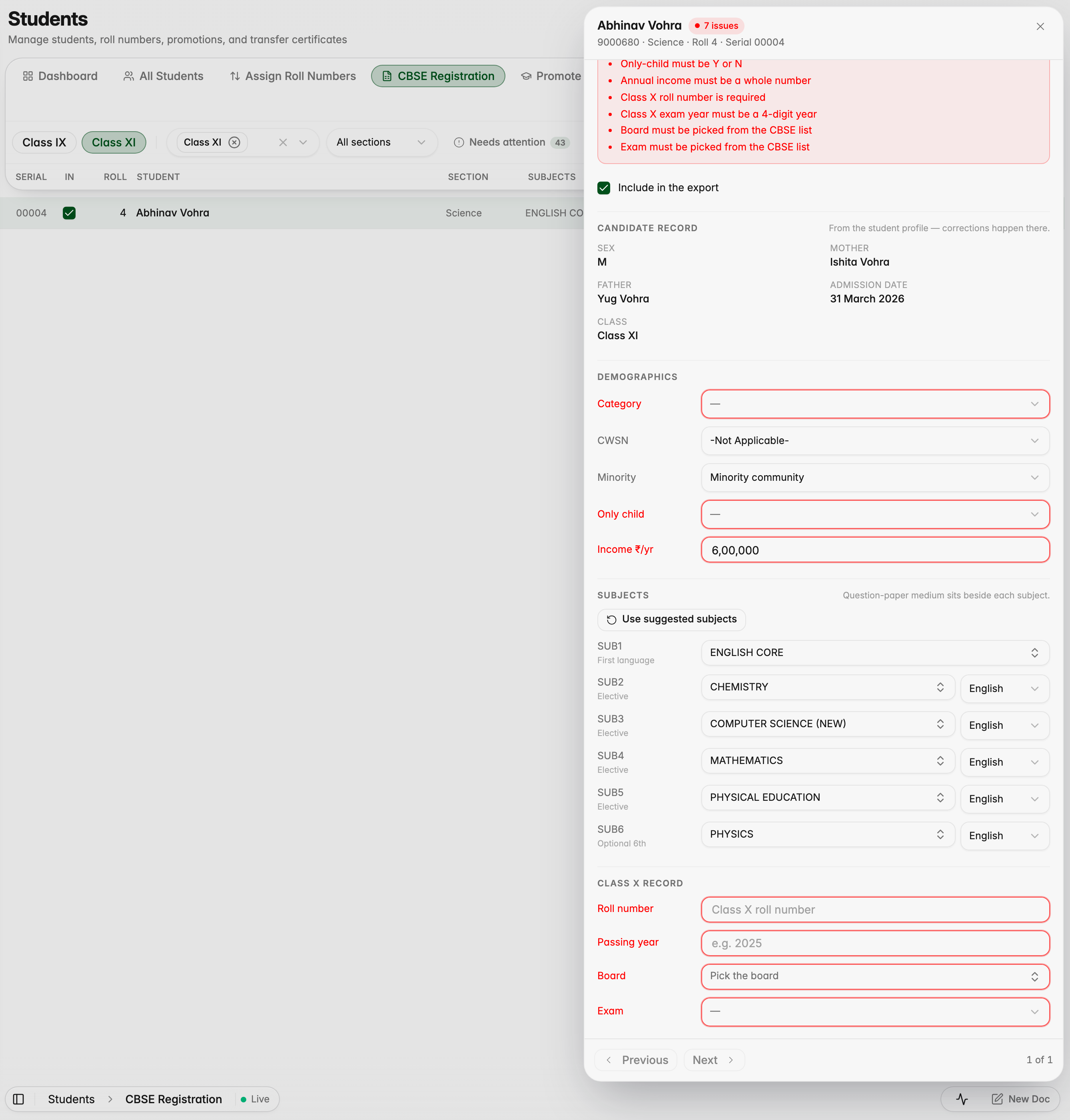
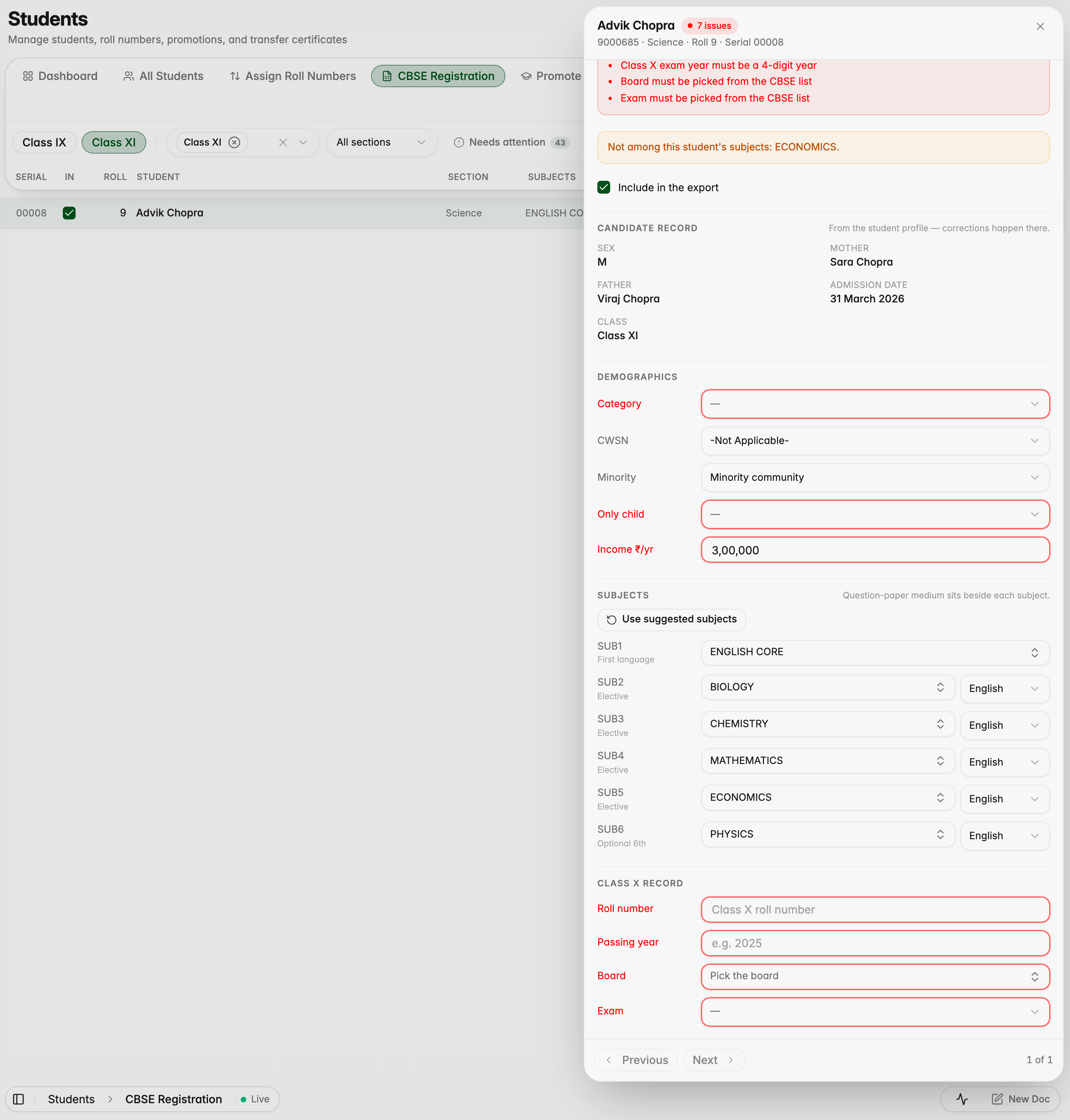
The CBSE registration sheet now suggests each Class XI student's own elective subjects, instead of every subject the class is offered, and warns you when a saved sheet lists a subject that student does not study. "Use suggested subjects" puts the student's own list back.

A Science student who chose Biology gets Biology suggested, not the whole pool
A classmate who chose Computer Science gets Computer Science instead
The sheet warns when a slot names a subject the student does not study
"Use suggested subjects" restores the student's own subject list
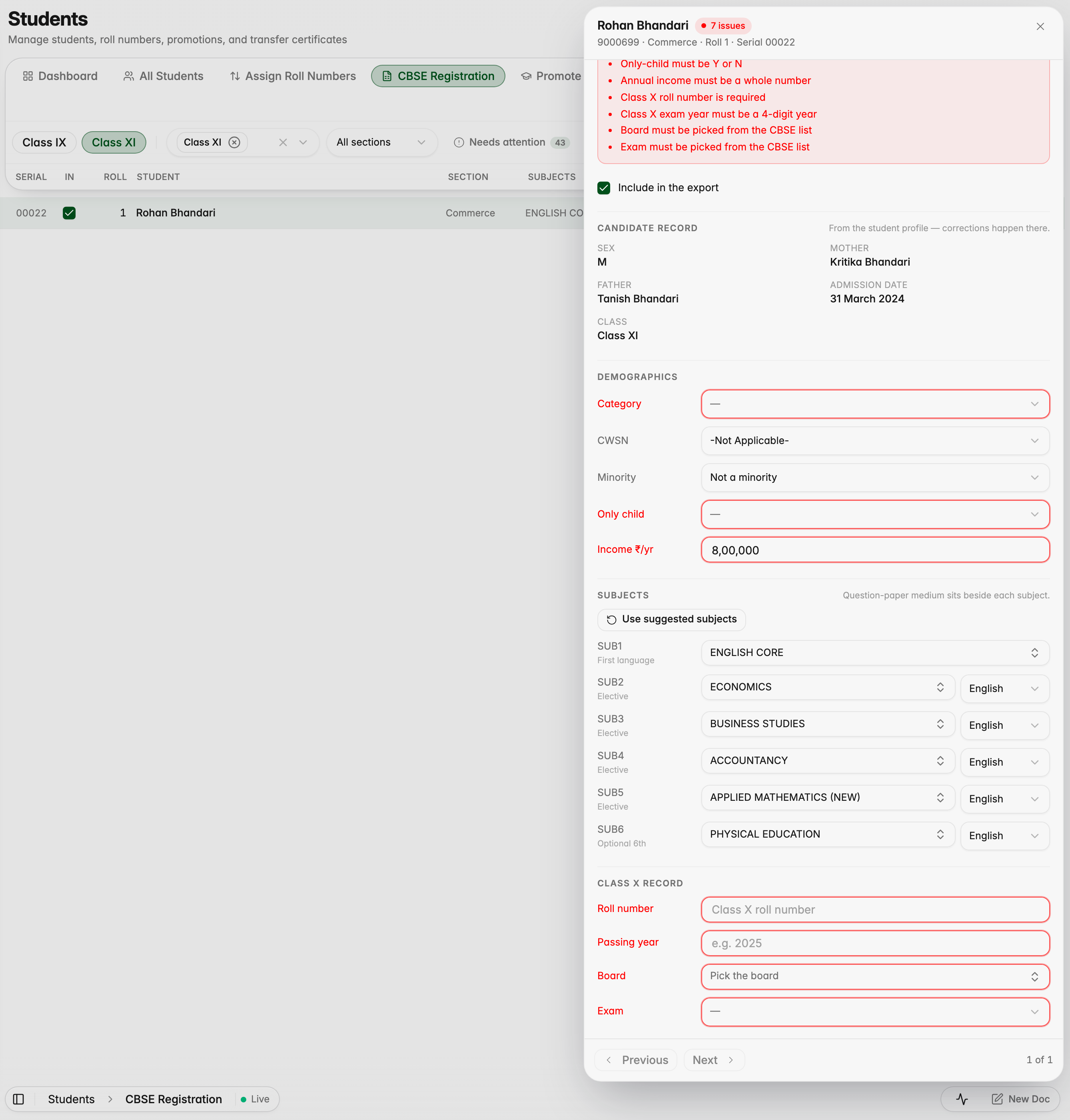
Commerce students with Applied Mathematics are placed correctly too

Platform

Compliance speaks the assessor's language

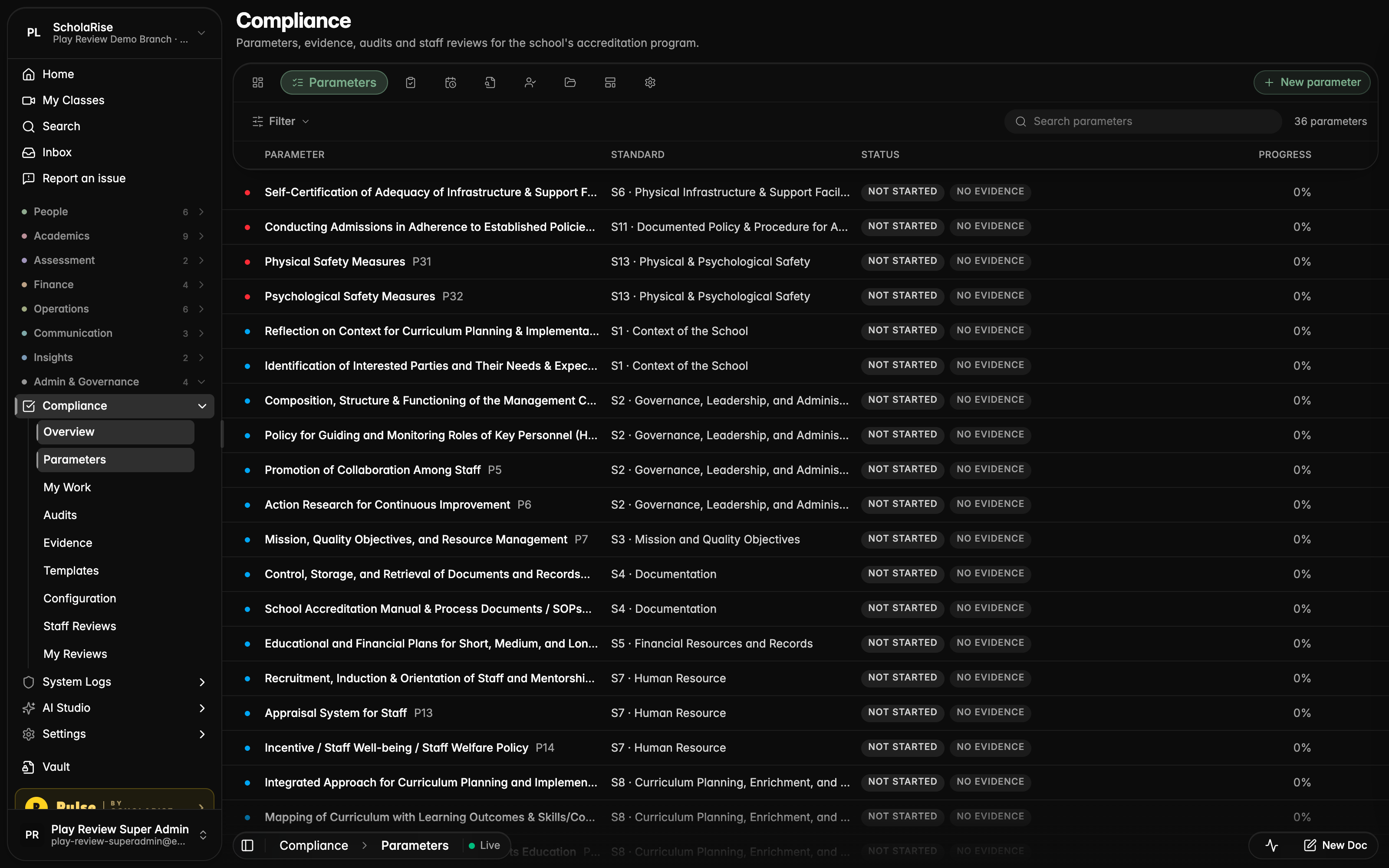
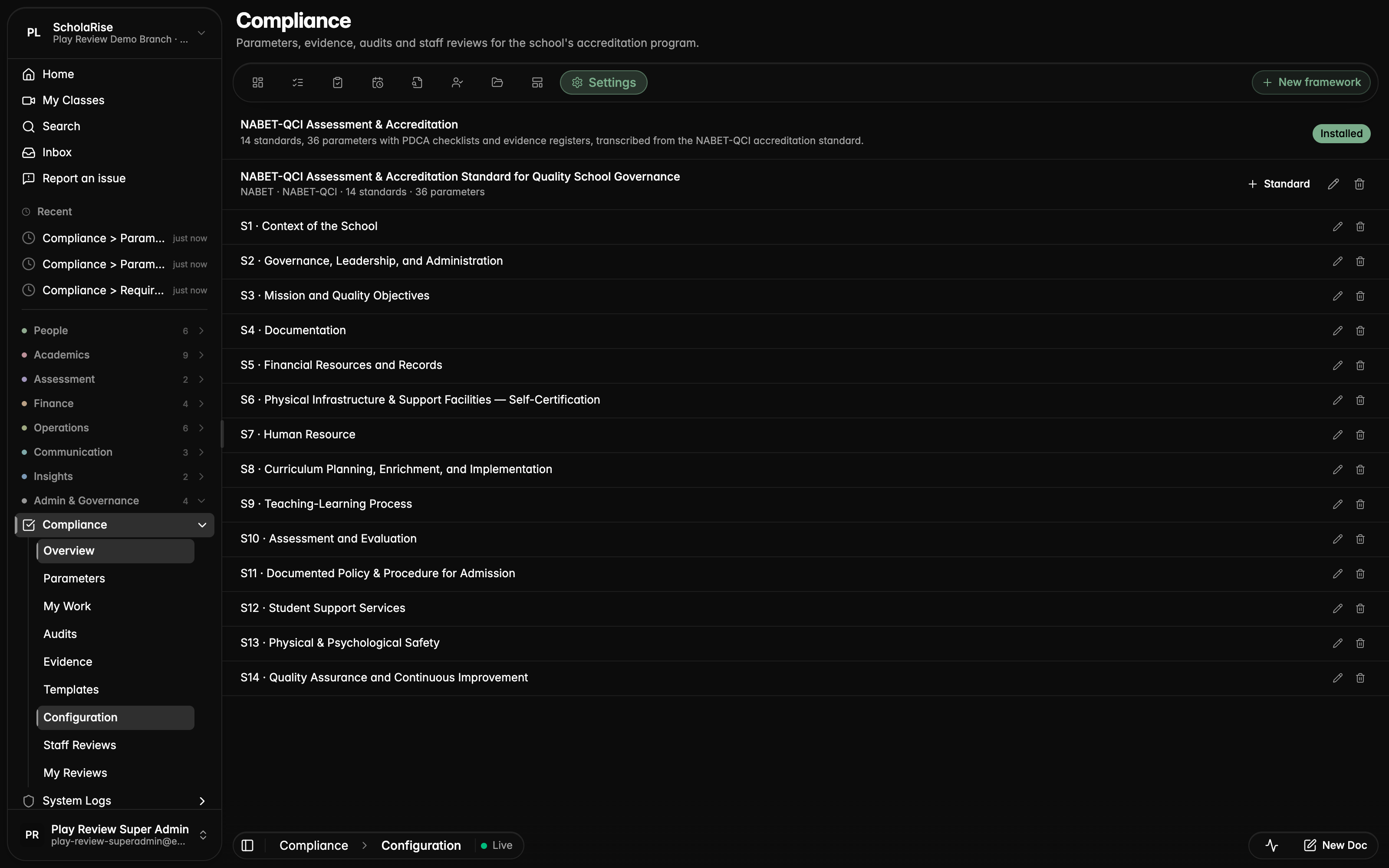
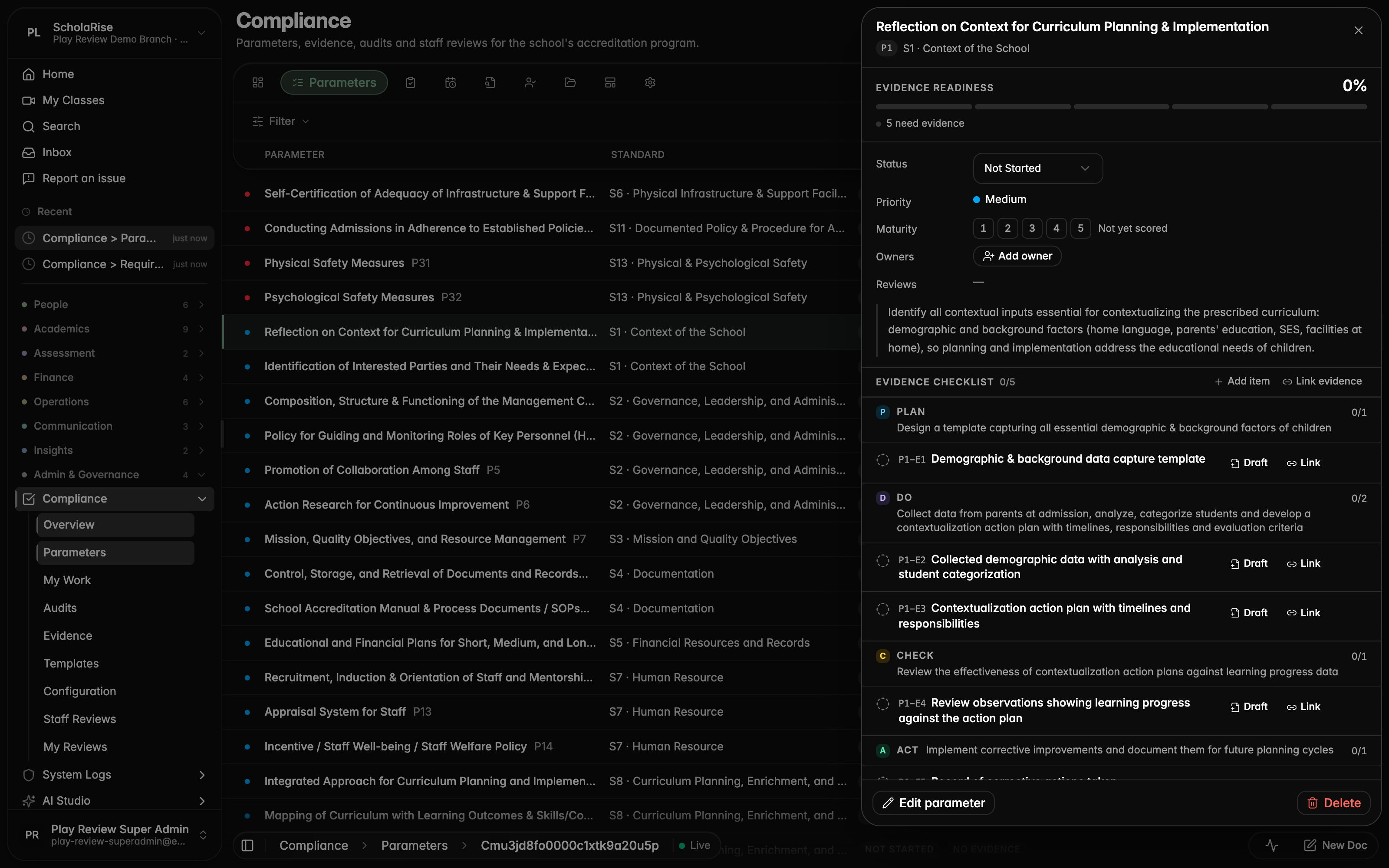
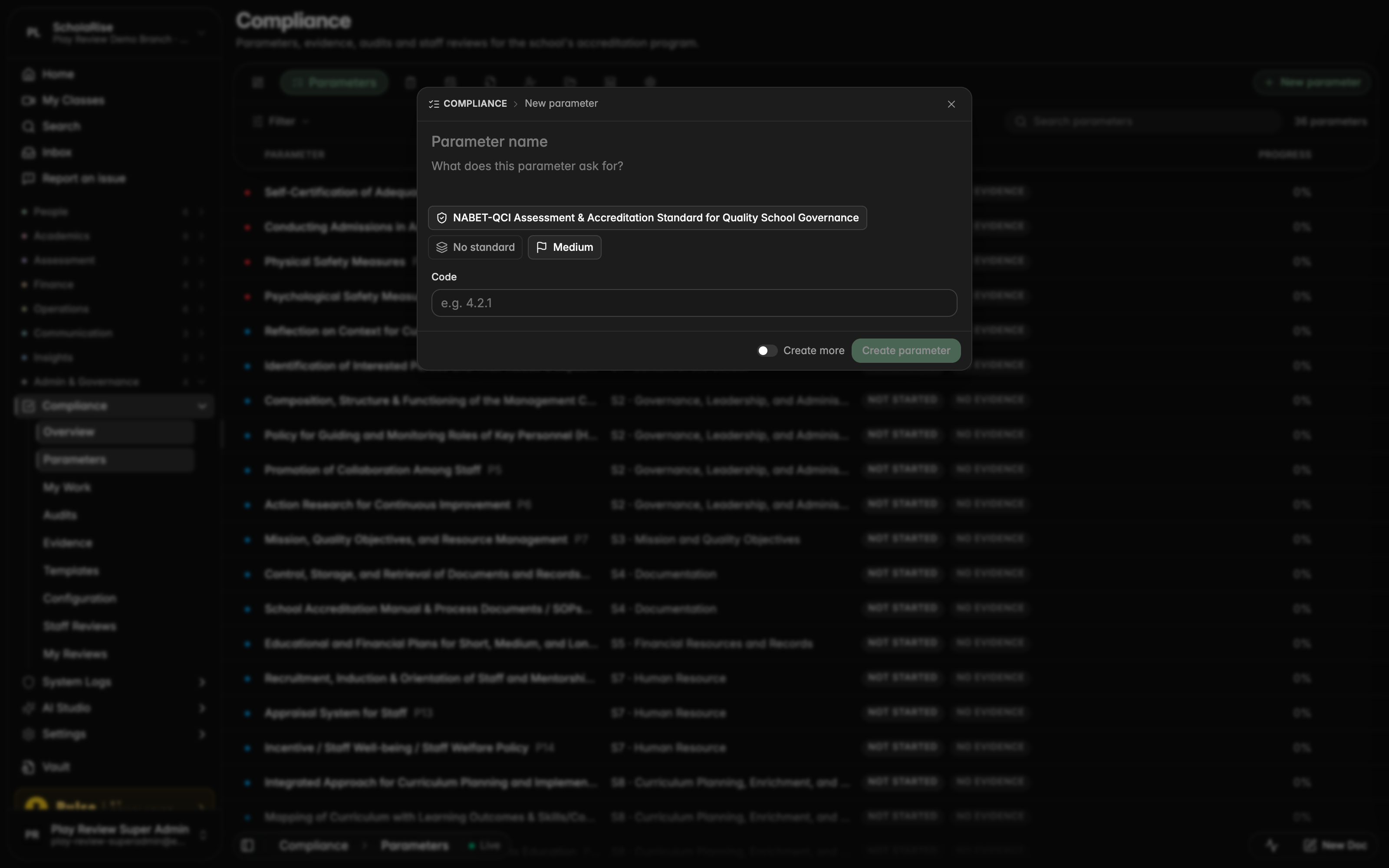
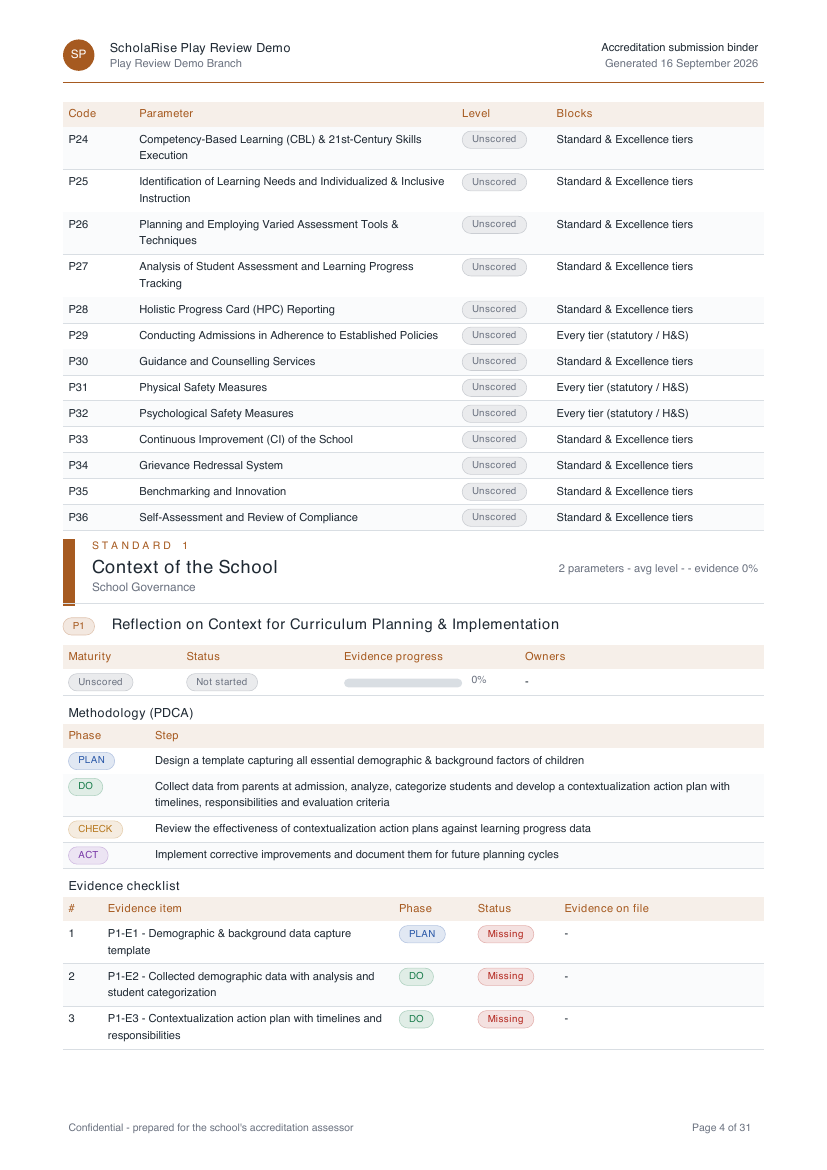
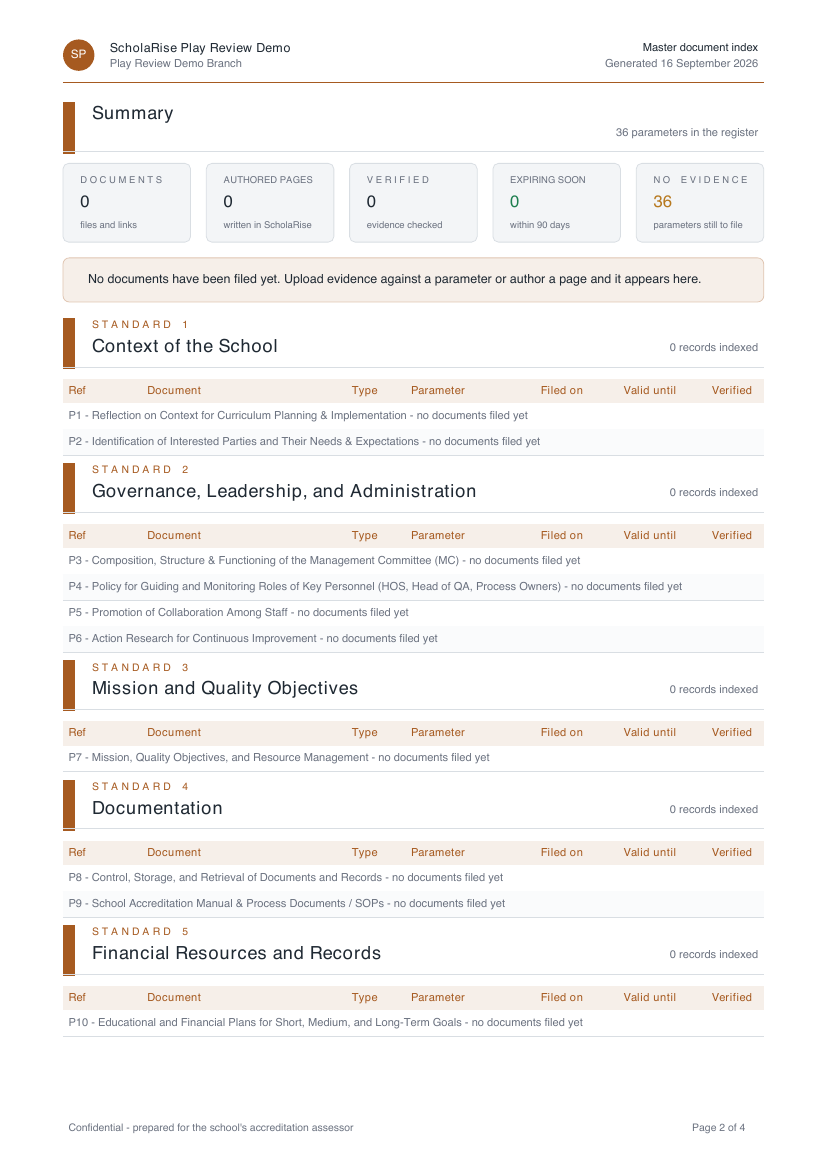
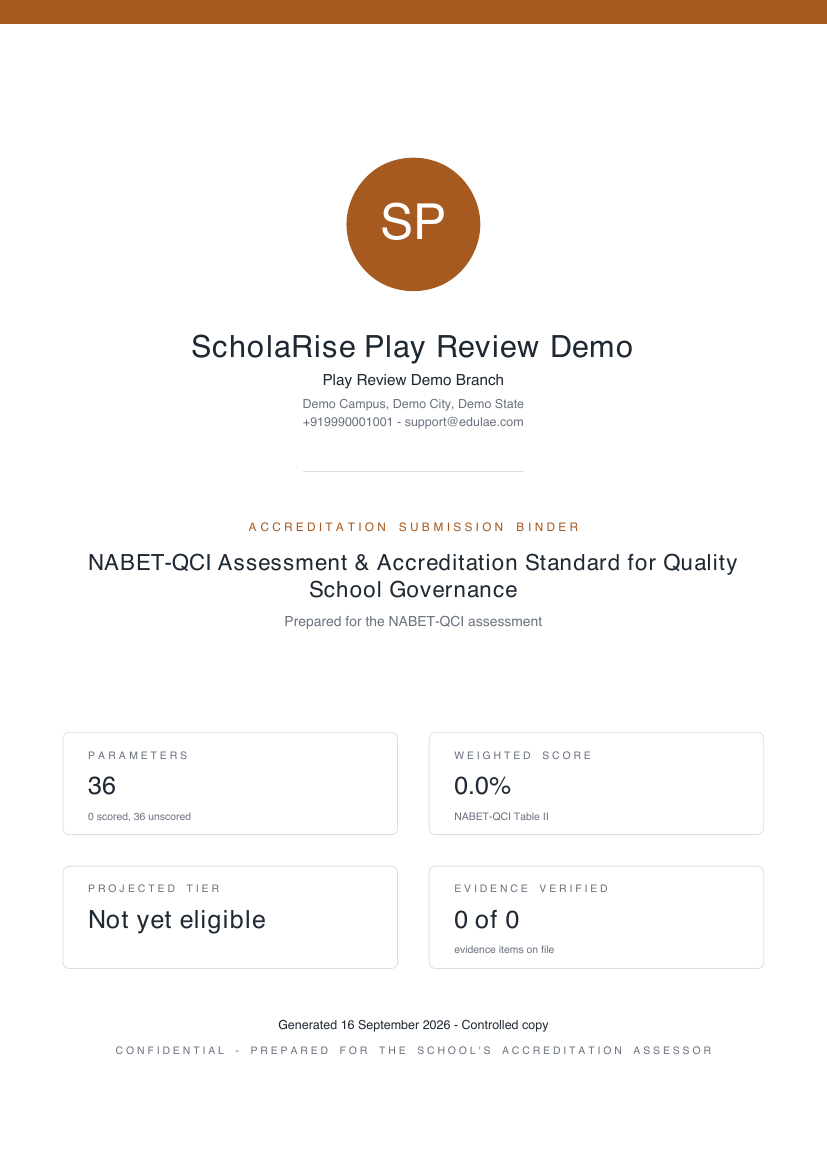
Compliance now uses the accreditation framework's own words — standards and parameters — and every parameter shows the standard it belongs to. The submission binder and the master document index come out as branded documents carrying your school's logo, a cover page, contents and page numbers, ready to hand to an assessor.

Parameters list with the Standard column
Settings: framework with its standards
Parameter detail with its standard in the identity row
New parameter form with Framework and Standard chips
Submission binder cover page
Binder contents and certification readiness
Binder standard section with a parameter dossier
Master document index register
Book a demo Available across India
The next step

See ScholaRise in your school.

A real walkthrough with someone who actually runs a school — we'll map what fits your campus today and what's worth phasing in over the next year.

The walkthrough

Length
30 minutes, no slides
Run by
Someone who runs a school
Available
Across India · web, iOS & Android