Write, reply to and forward email straight from ScholaRise, with AI help and a new Analytics tab in Mail.
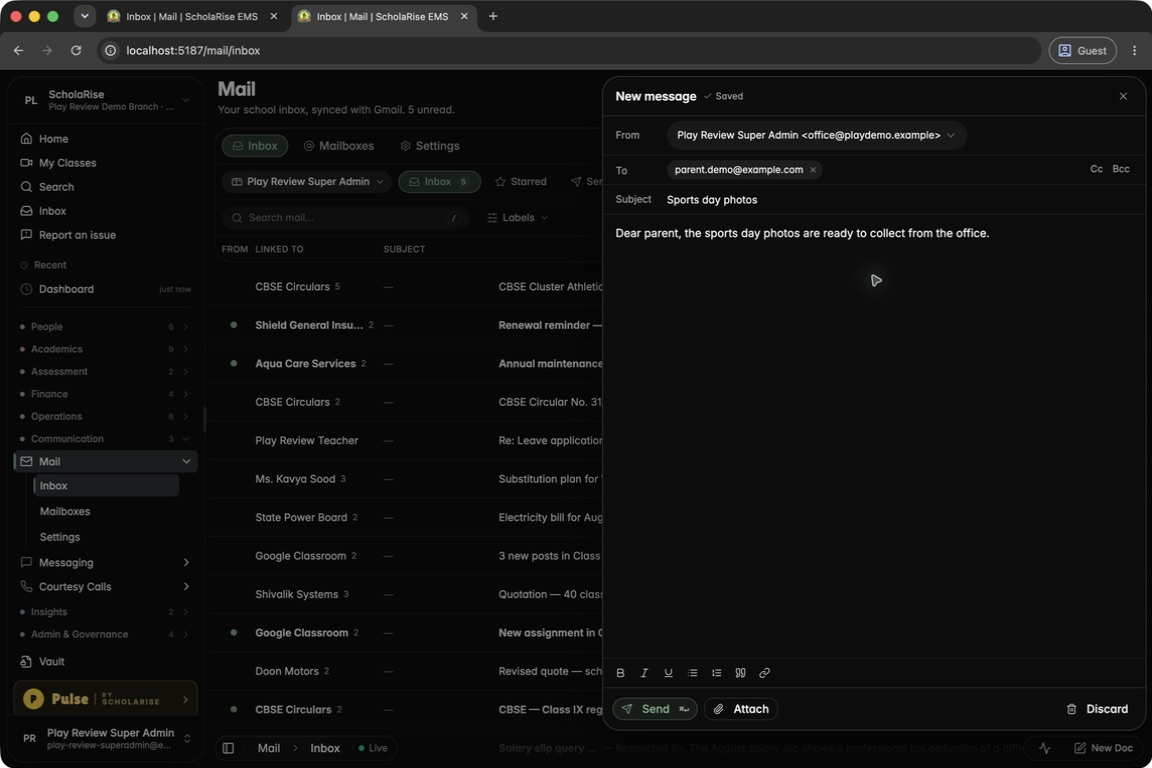
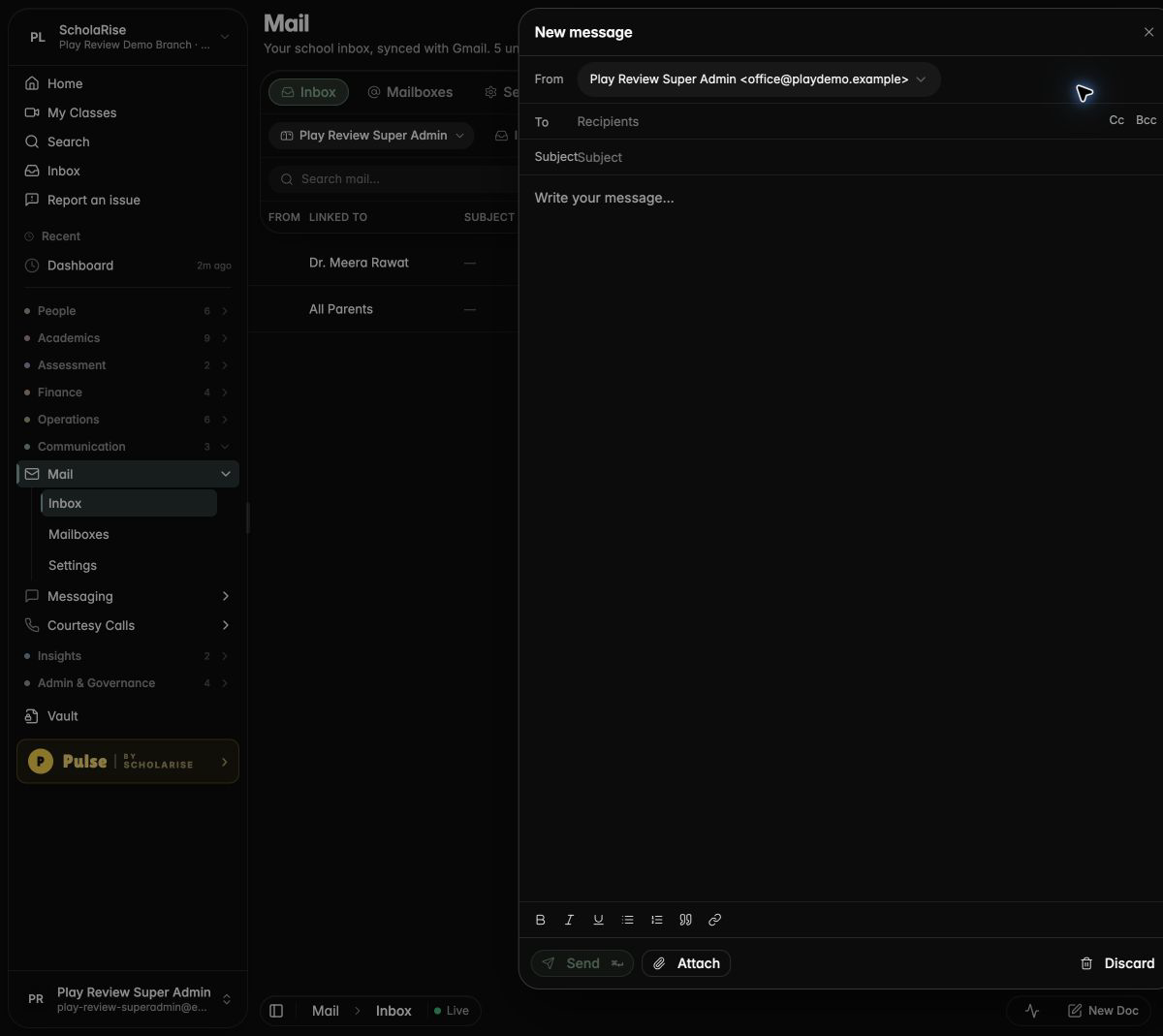
Writing a new message, saved as a draft automatically
Communication
Write and send email from Mail
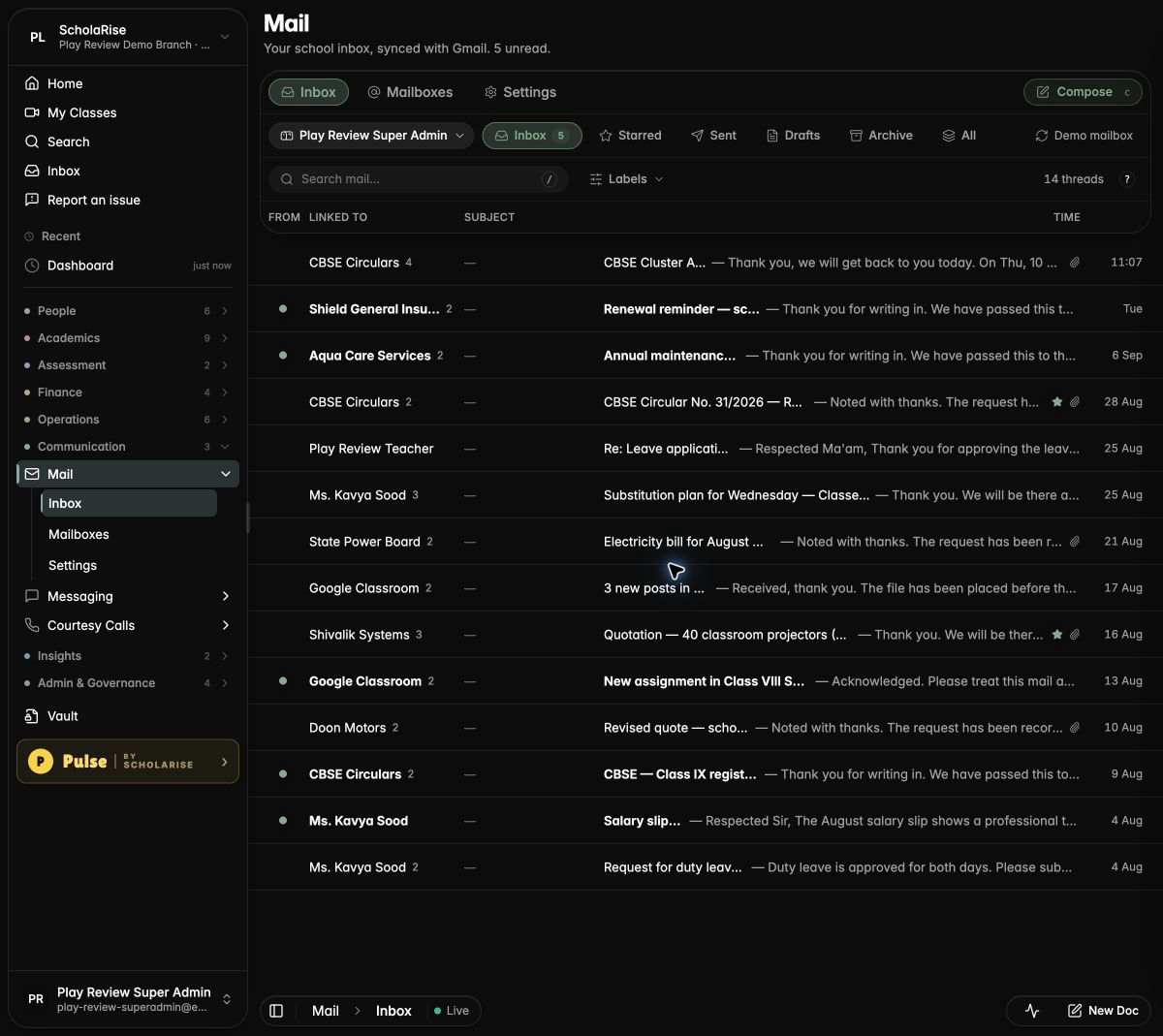
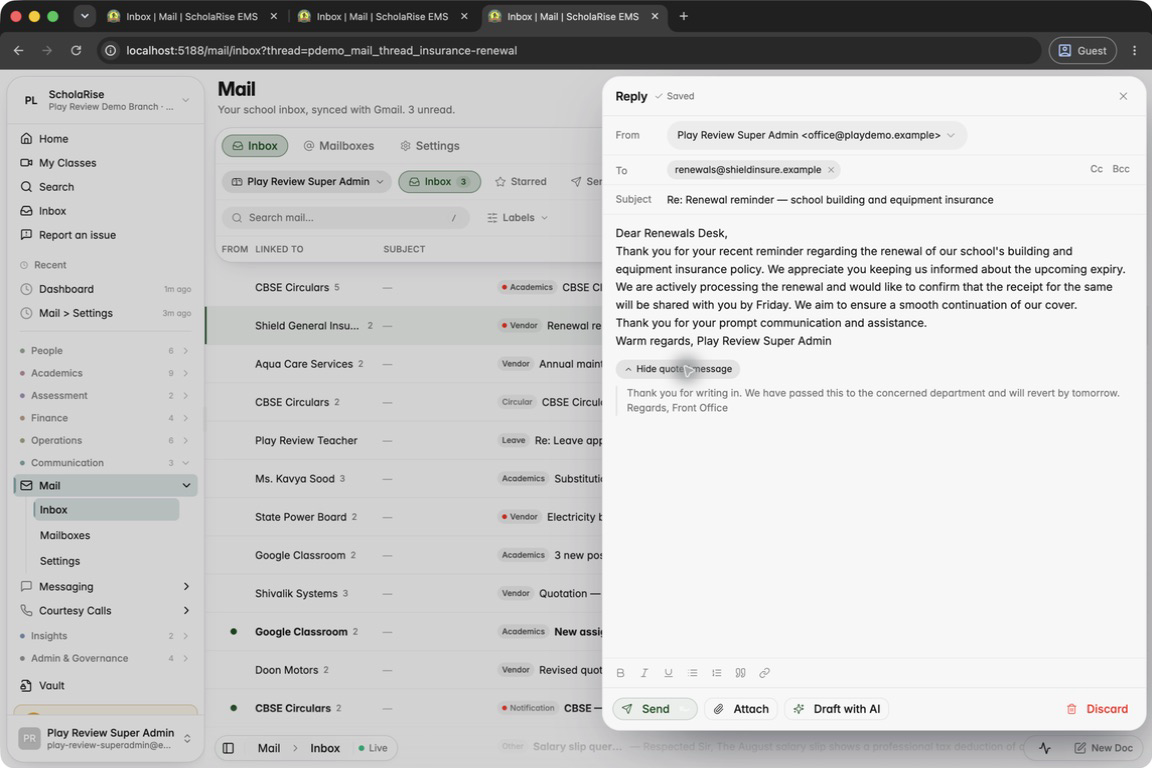
You can now write new emails, reply, reply all and forward, with attachments, straight from the school inbox. Drafts save themselves as you type and wait in the Drafts folder until you send them. Click Compose in the Mail toolbar to start.
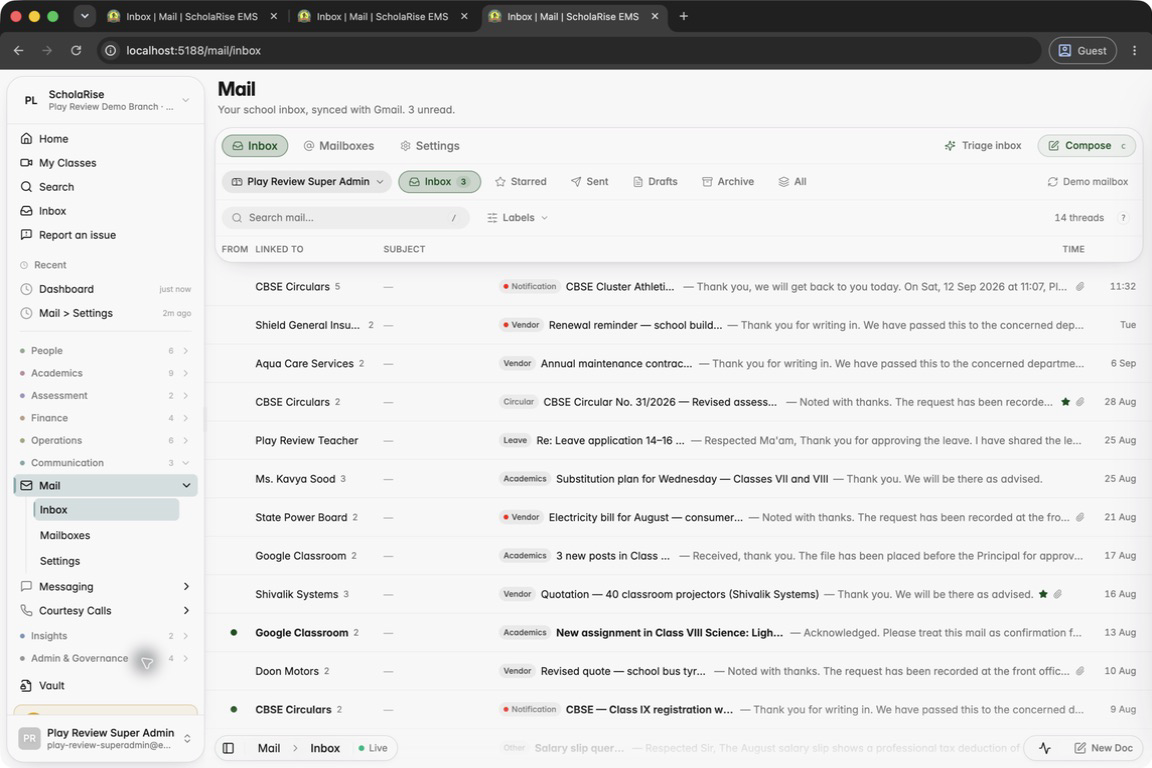
The new Compose button in the Mail toolbar
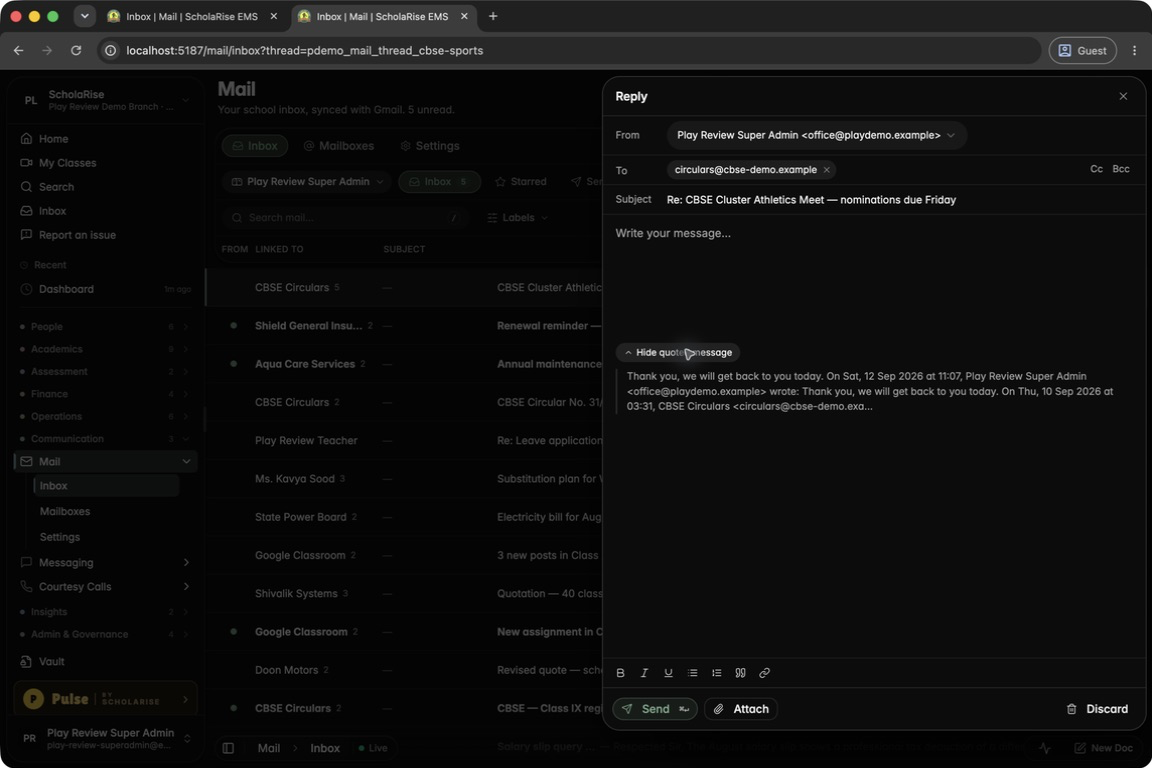
Replying to a parent with the original message quoted
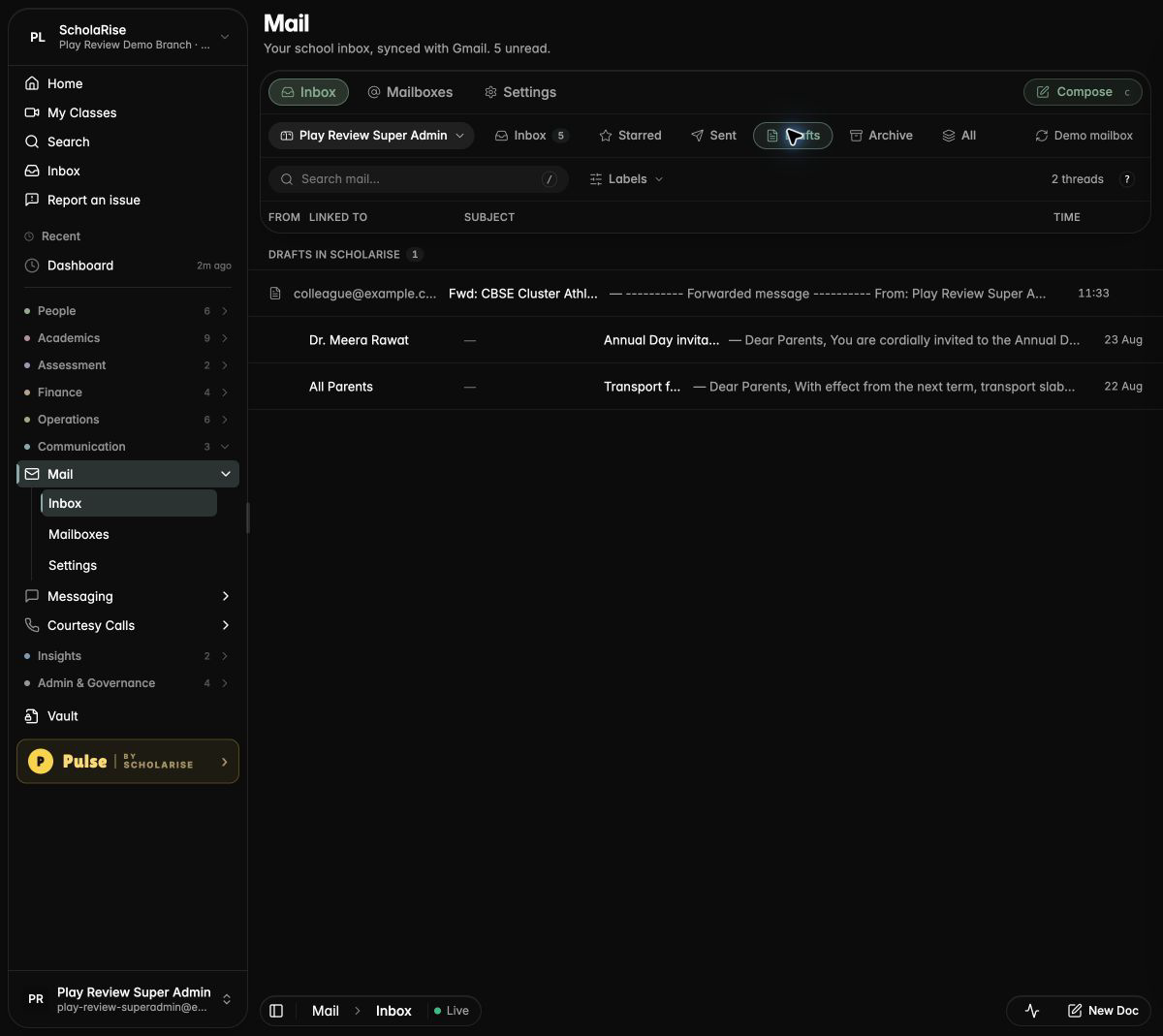
Unsent drafts wait in the Drafts folder
The composer in dark mode
Composing on a phone
AI help with your inbox
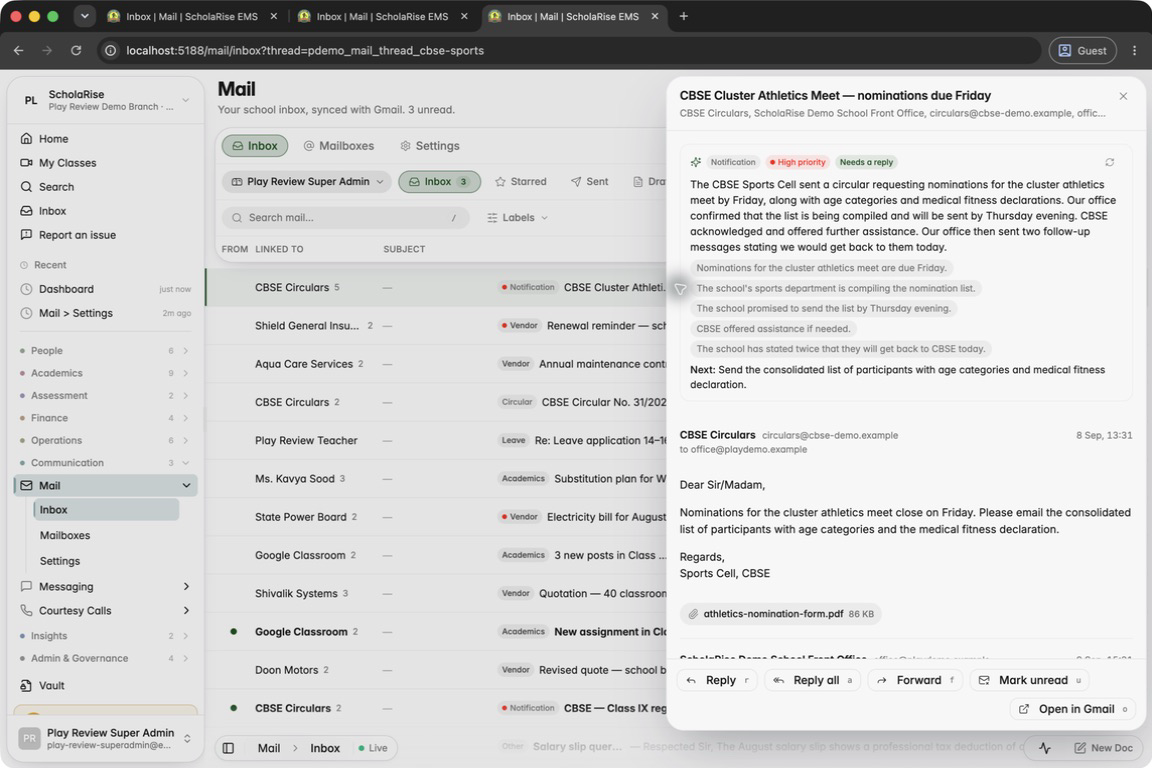
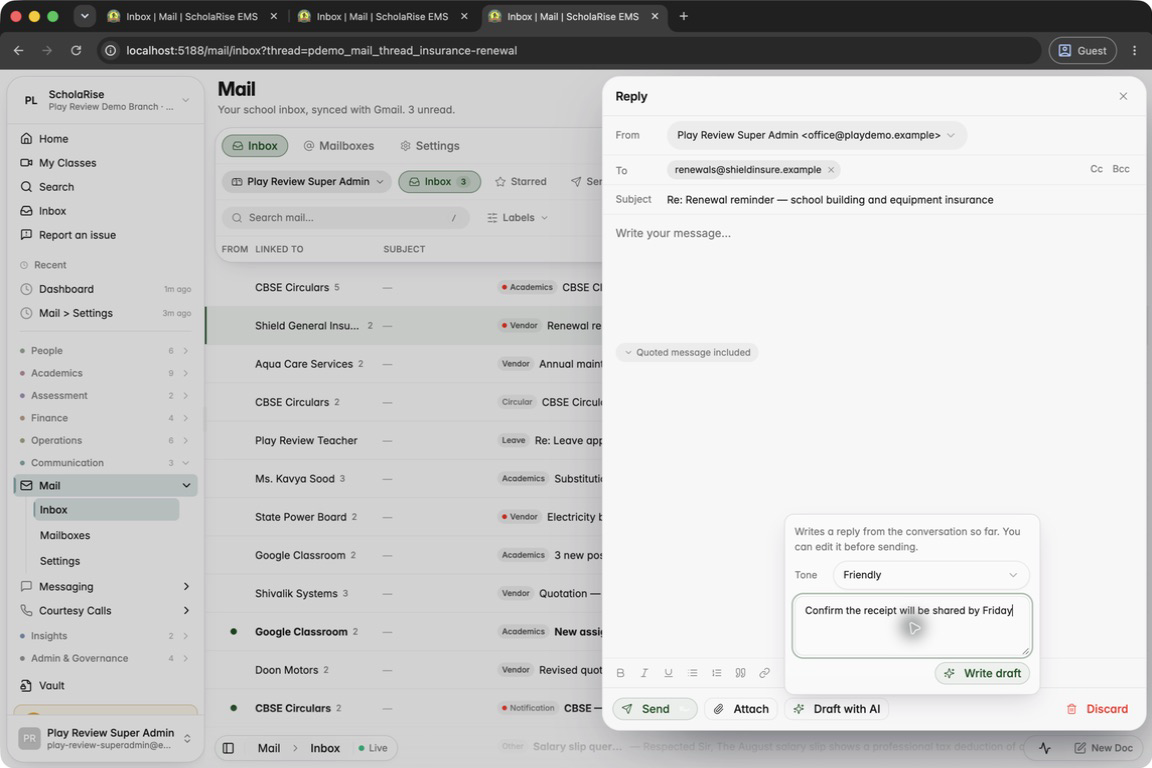
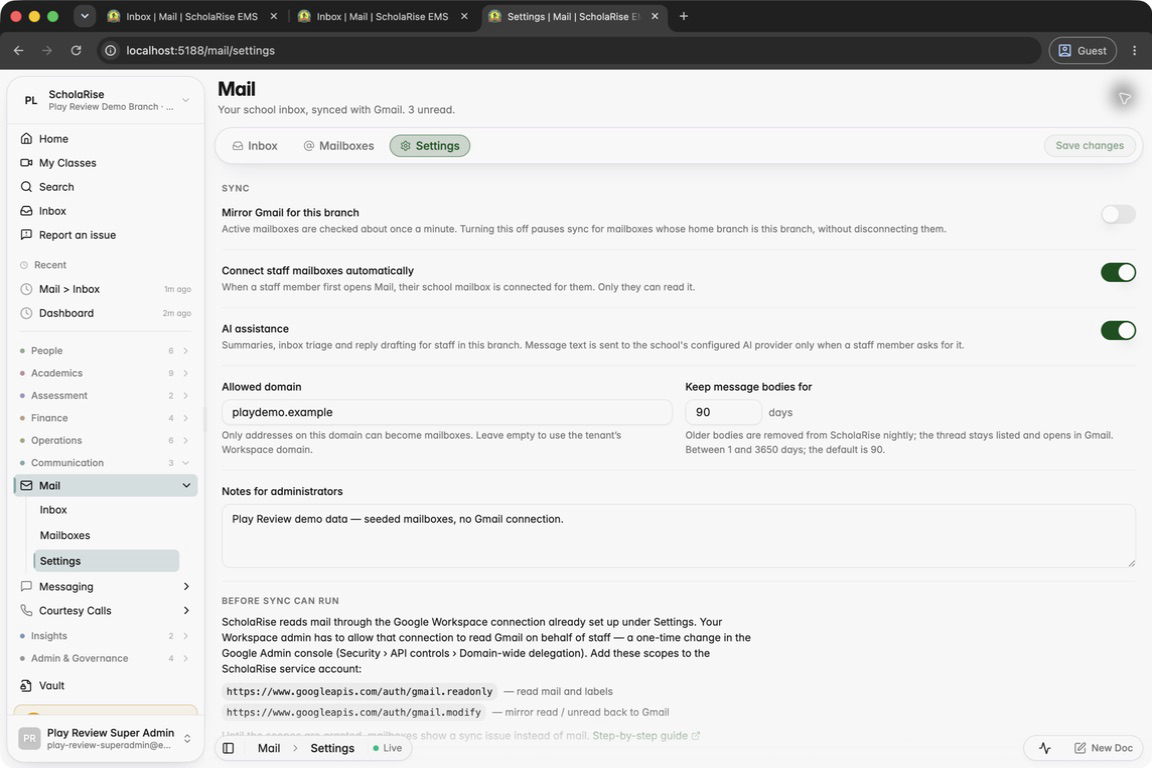
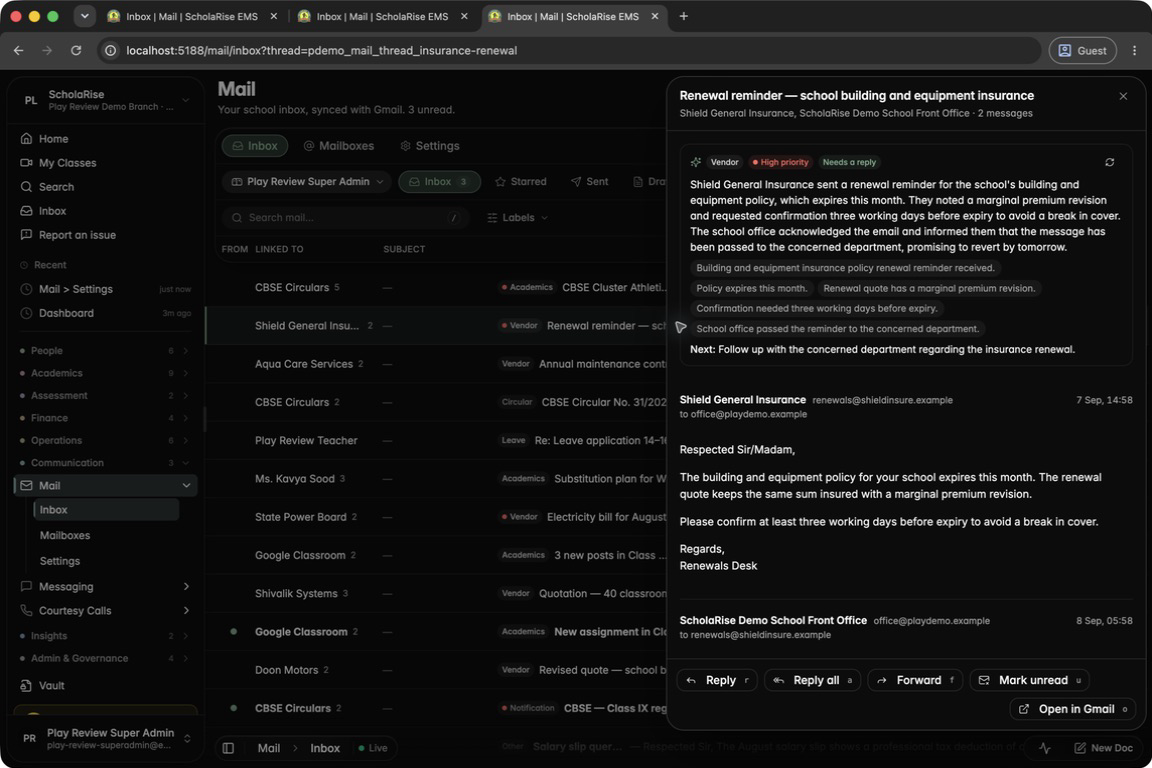
Mail can summarise any conversation, sort your inbox by topic and priority in one click, and draft a reply in the tone you choose for you to edit before sending. Admins can switch AI help on or off for each branch in Mail settings.
The new Triage inbox action next to Compose
A conversation summarised: topic, priority, key facts and the next step
After triage, every row shows its topic and urgent ones a red dot
Draft with AI: pick a tone and add a note
The drafted reply, ready to edit before sending
Admins switch AI assistance on or off per branch
The summary card in dark mode
Mail analytics
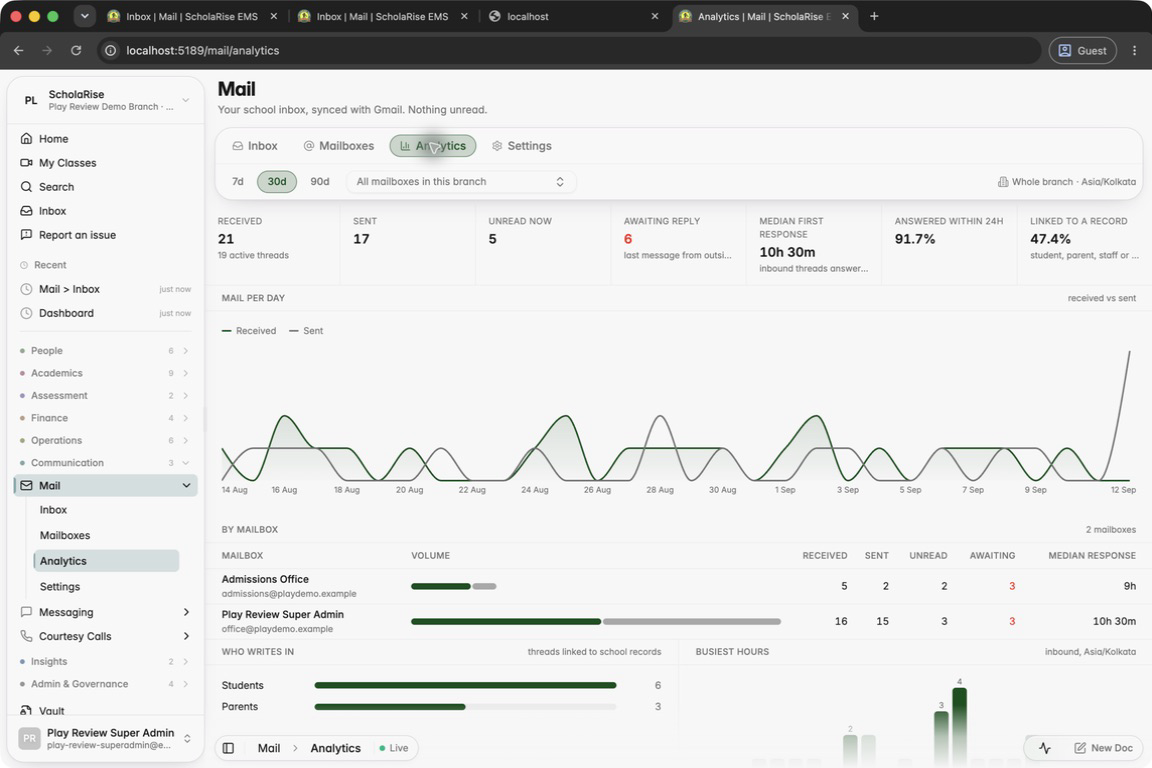
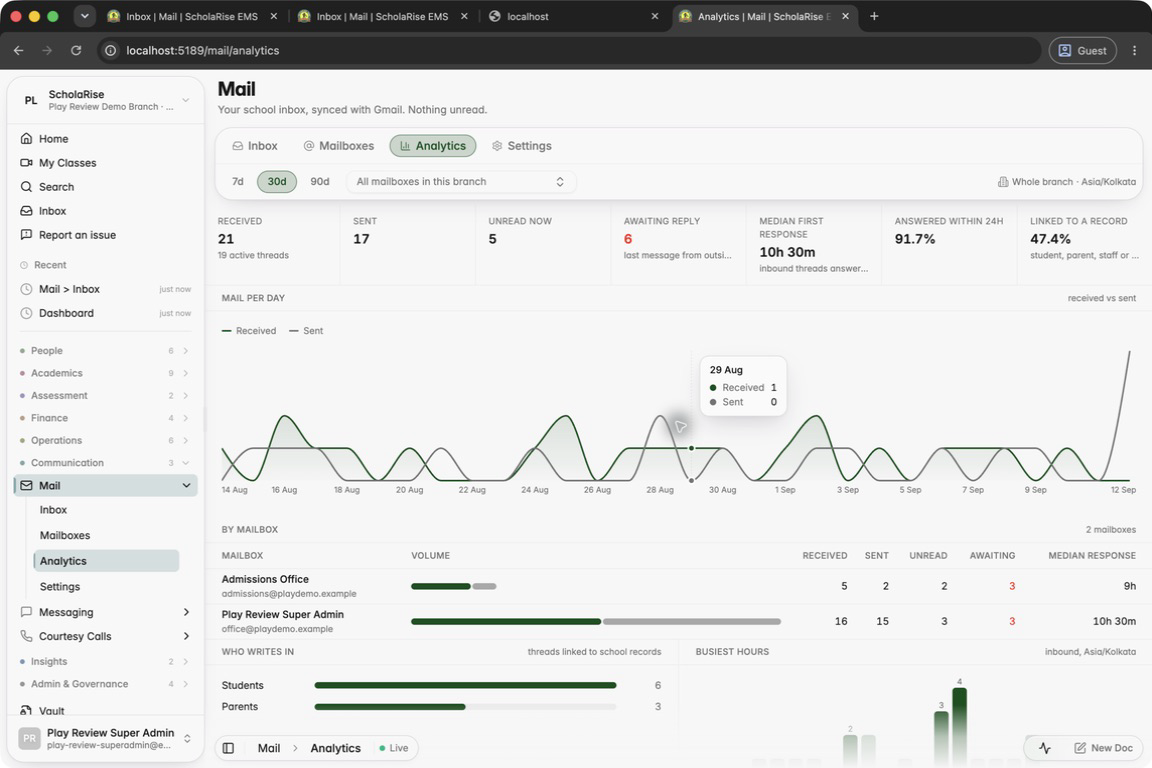
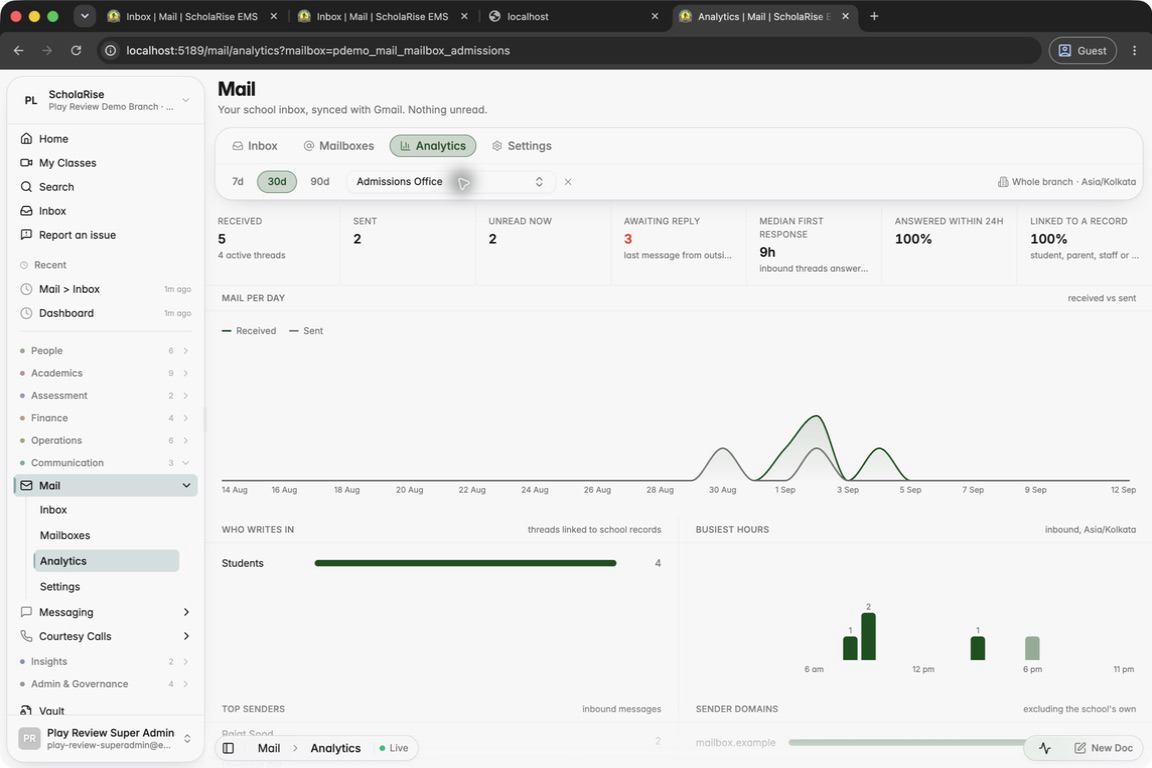
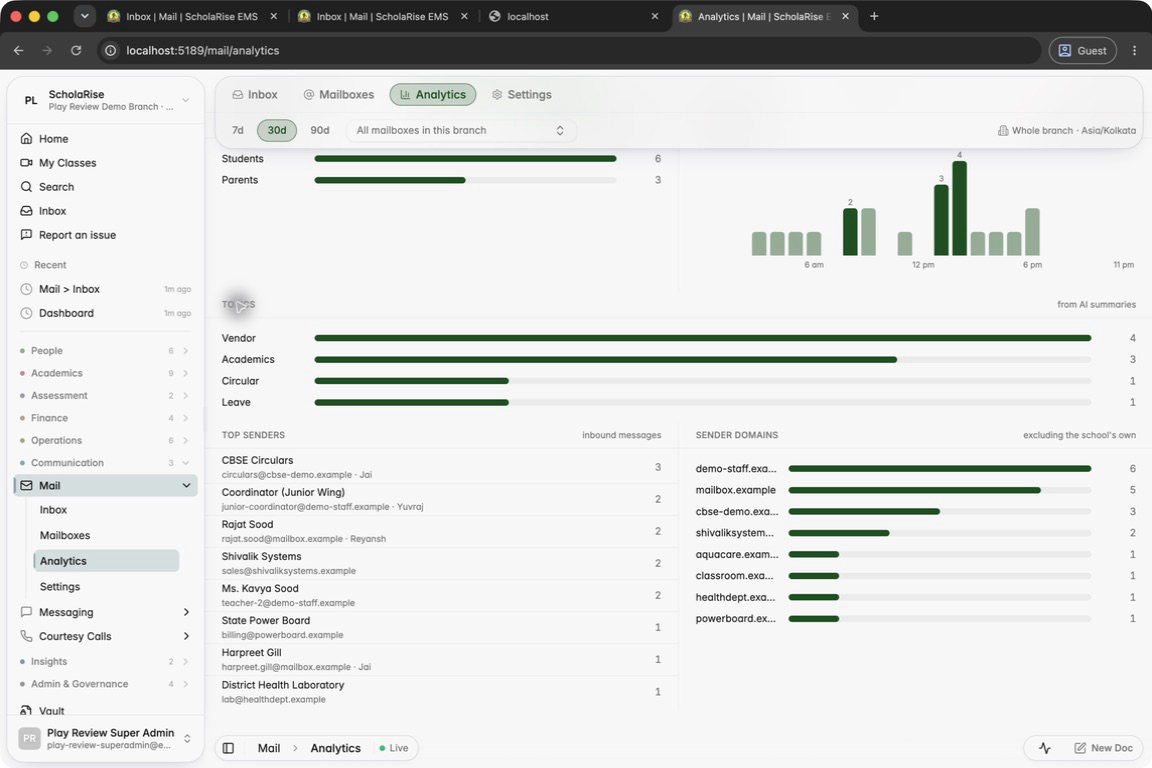
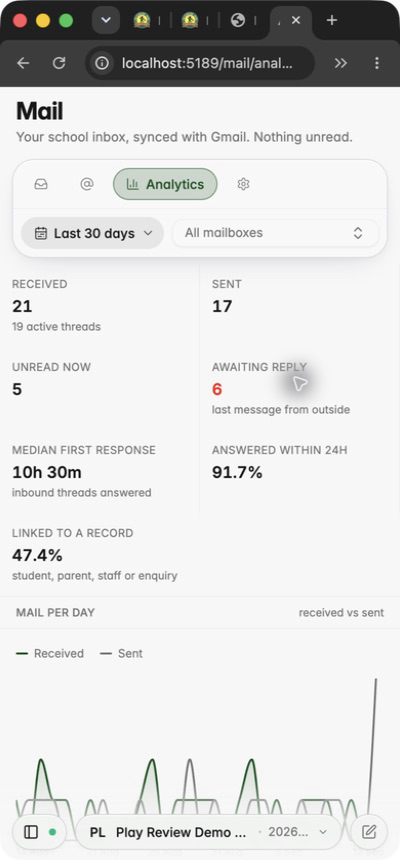
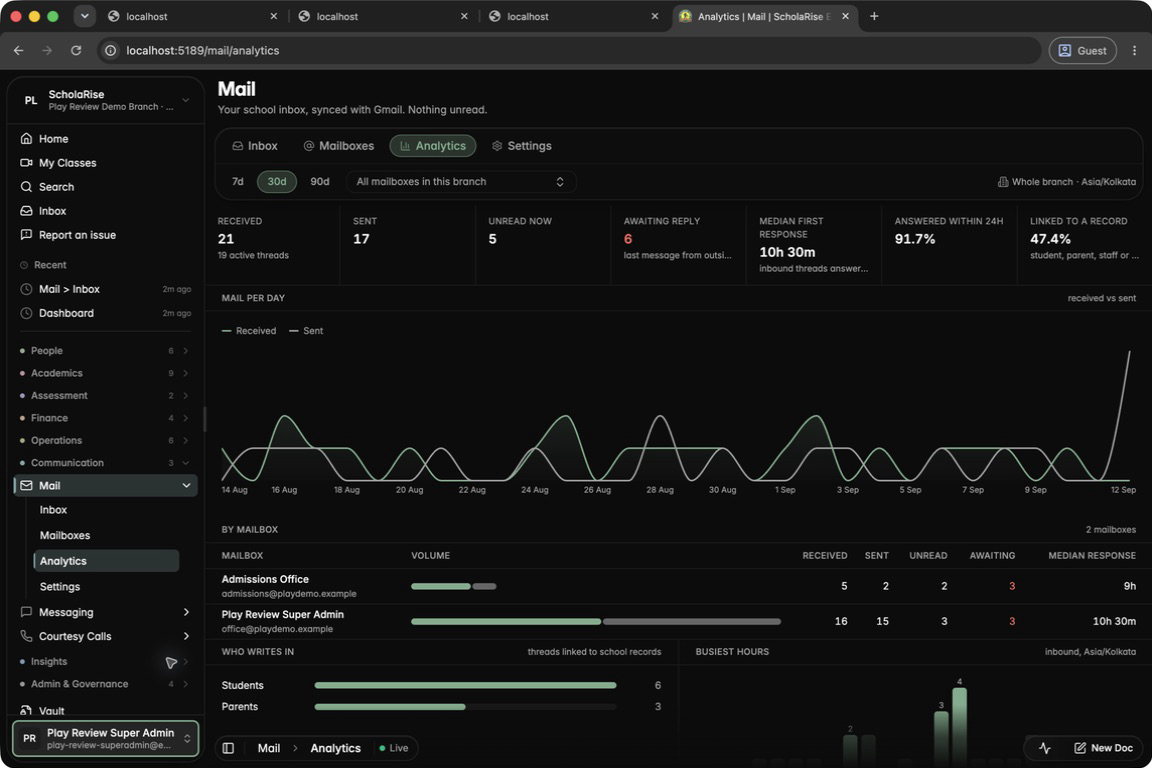
A new Analytics tab in Mail shows how much email comes in and goes out, how quickly your team replies and what is still waiting for an answer. See who writes in and at what times, for the last week, month or quarter, across all mailboxes or just one.
The new Analytics tab: last 30 days at a glance
Hover any day for received and sent counts
Filter to one mailbox
Who writes in, the busiest hours, top senders and domains
Analytics on a phone
Analytics in dark mode
Wide emails fit your screen
Wide emails now shrink to fit your screen on phones and computers instead of being cut off at the edge.
Examination
Optional subjects can count towards the total
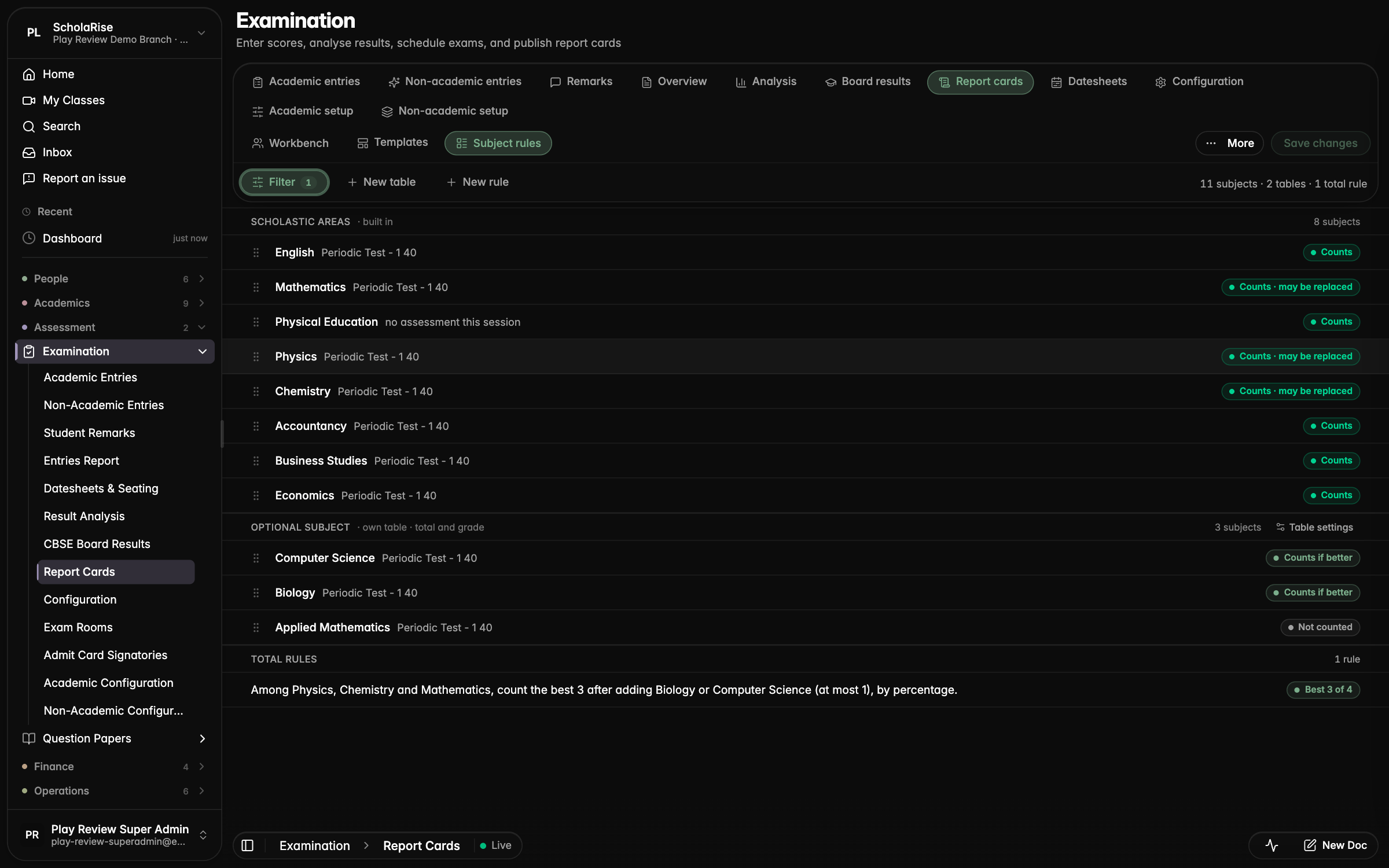
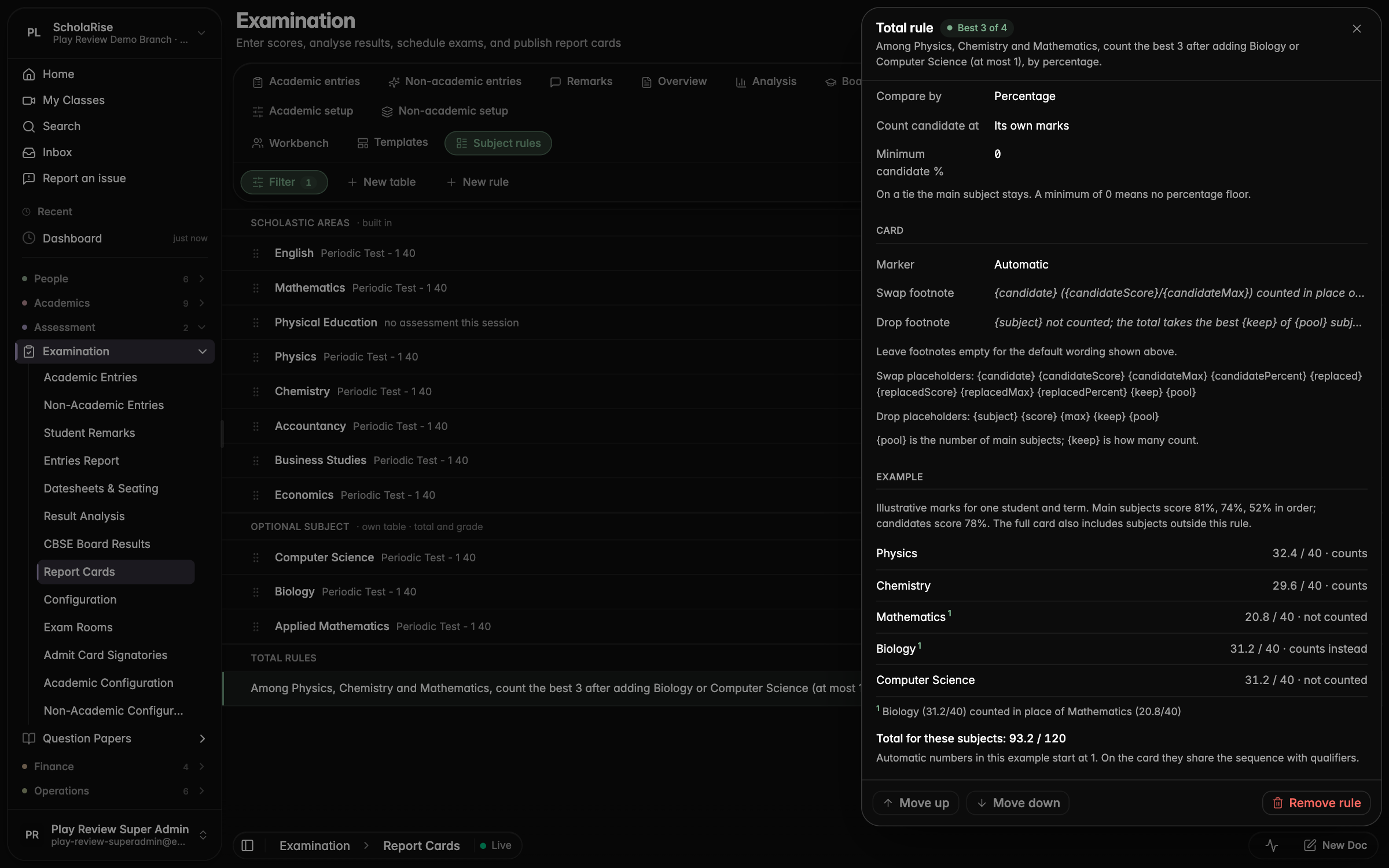
Report cards can now count an optional subject in the total when it scores higher than one of the main subjects. On the Subject rules page for a class, choose which subjects can swap, how many count, and how the swap is noted on the card.
The Subject rules page with main subjects that may be replaced and optional subjects that count if better
The rule's settings with a worked example showing which subject is replaced, the footnote and the resulting total
A report card where Biology counts in place of Mathematics, with a footnote explaining the swap
Report card preview stays steady
The report card preview beside a student no longer reloads again and again while teachers enter marks elsewhere. It refreshes when you change the student, term or template, or when you ask it to.
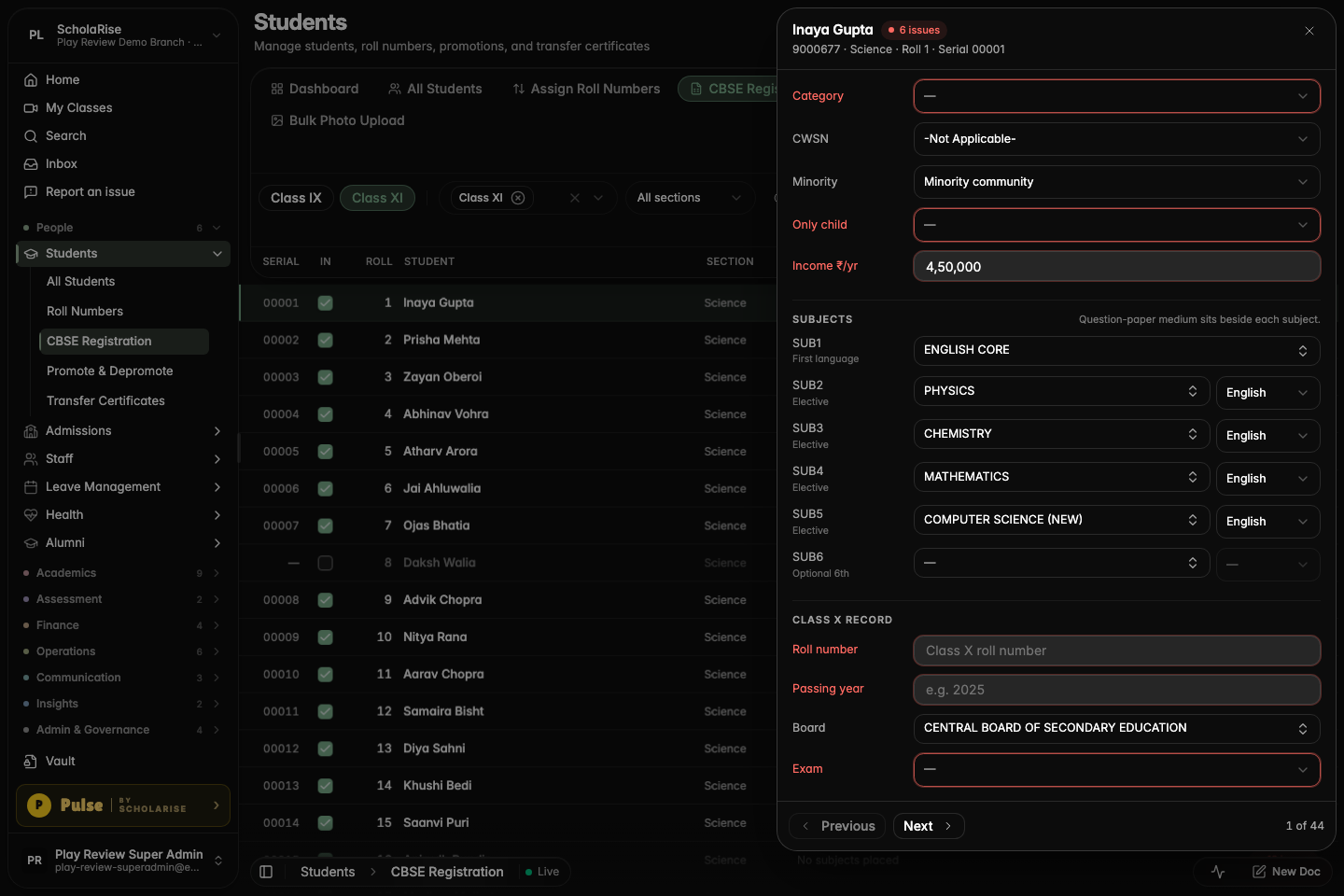
Board search on CBSE Registration
Searching in the Board picker on the CBSE Registration page for Class XI now finds boards as you type, instead of showing no matches.
Typing "central" in the Class XI Board picker now lists the matching boards
Searching "indian school" finds the Council for the Indian School Certificate Examinations
Picking a board from the search results fills the Board field
Book a demoA guided walkthroughWeb · iOS · AndroidAvailable across India
The next step
See ScholaRise in your school.
A real walkthrough with someone who actually runs a school — we'll map what fits your
campus today and what's worth phasing in over the next year.