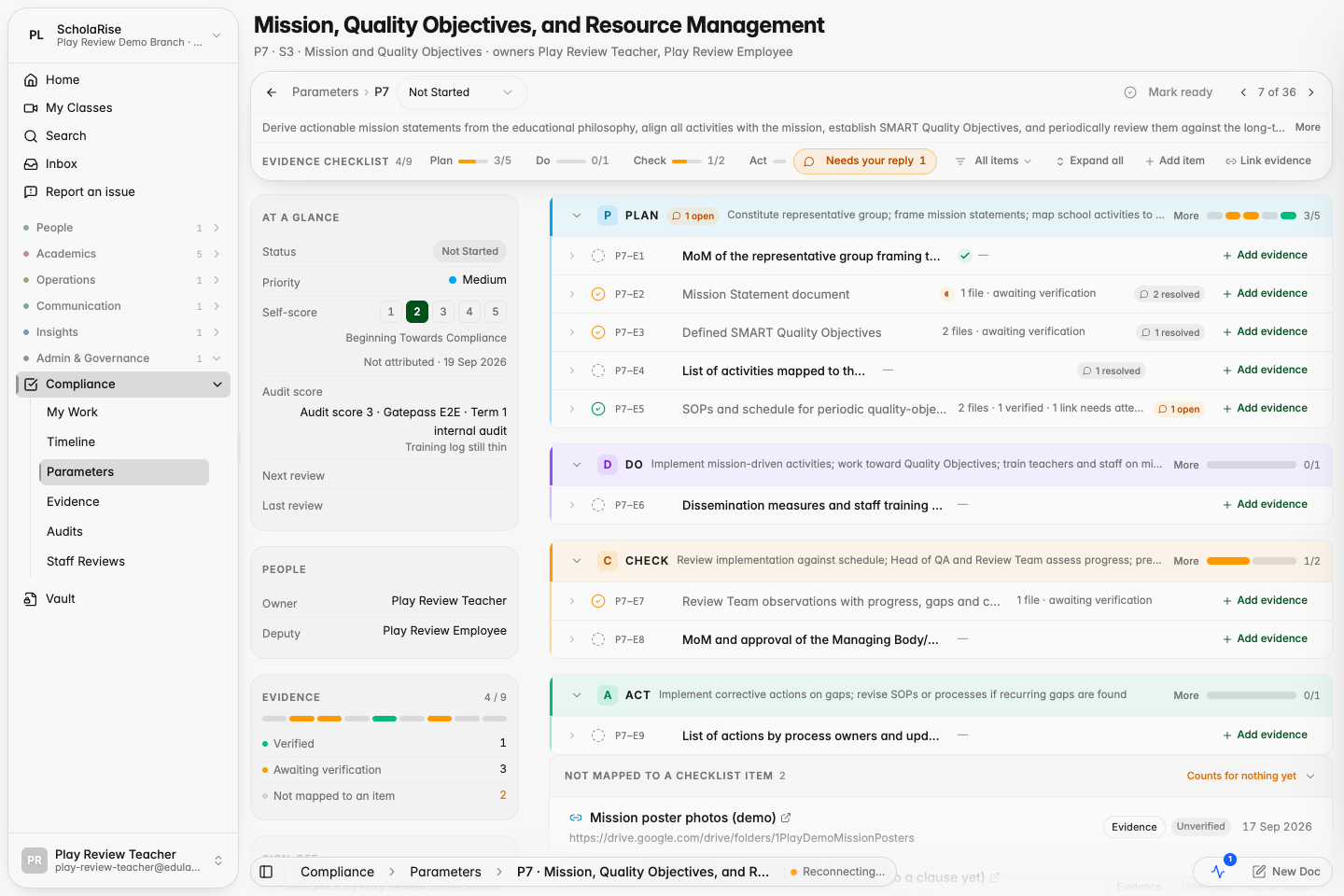
Auditing a compliance parameter now happens in front of its checklist and documents, with a verdict on every row.
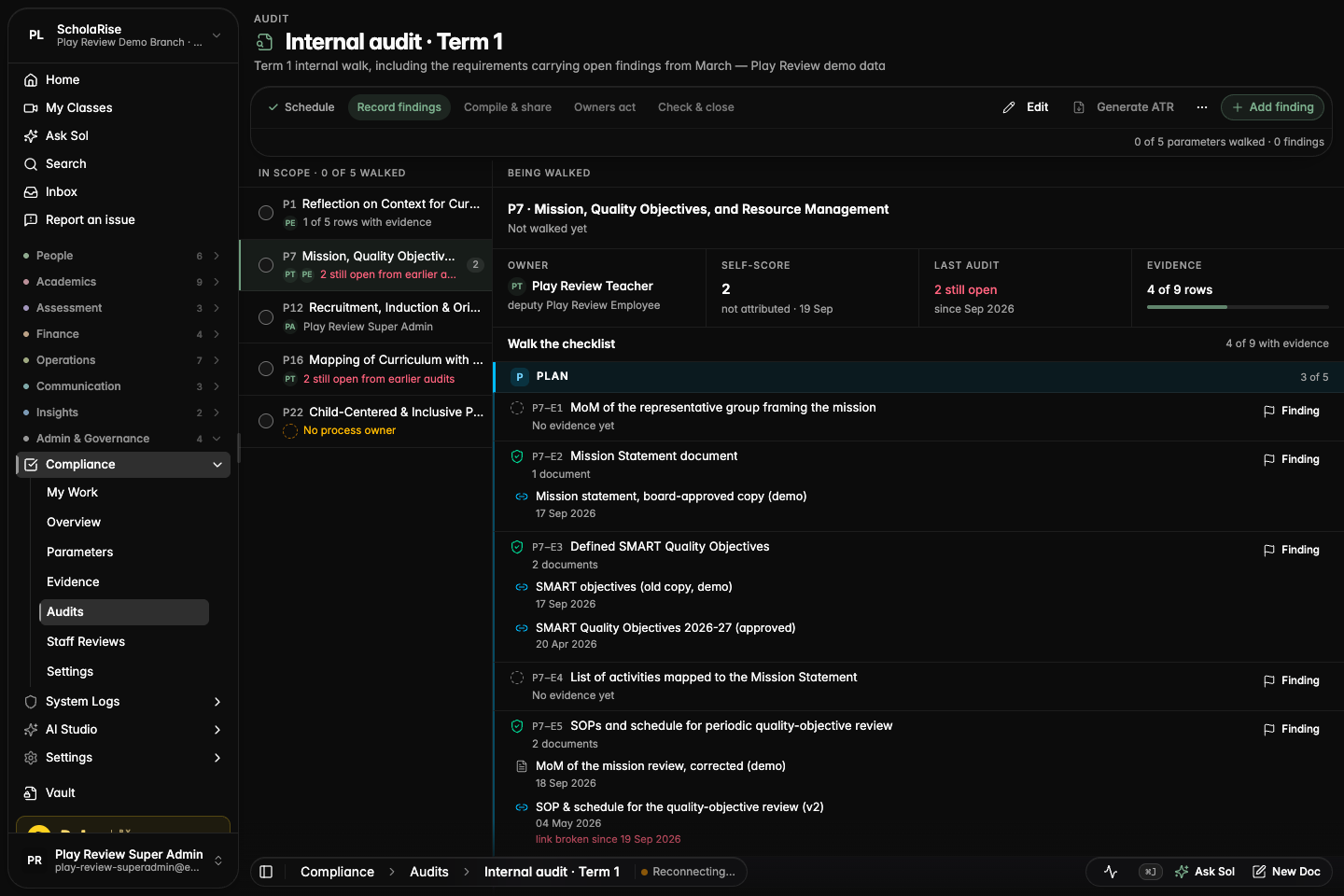
The audit walk, with the checklist and the owner's documents in one pane
Platform
The audit walk puts the evidence in front of you
When you audit a parameter, its checklist and the process owner's documents now sit in front of you, grouped by phase, with the context you need in a strip above them. Picking the score is the last step instead of the first.
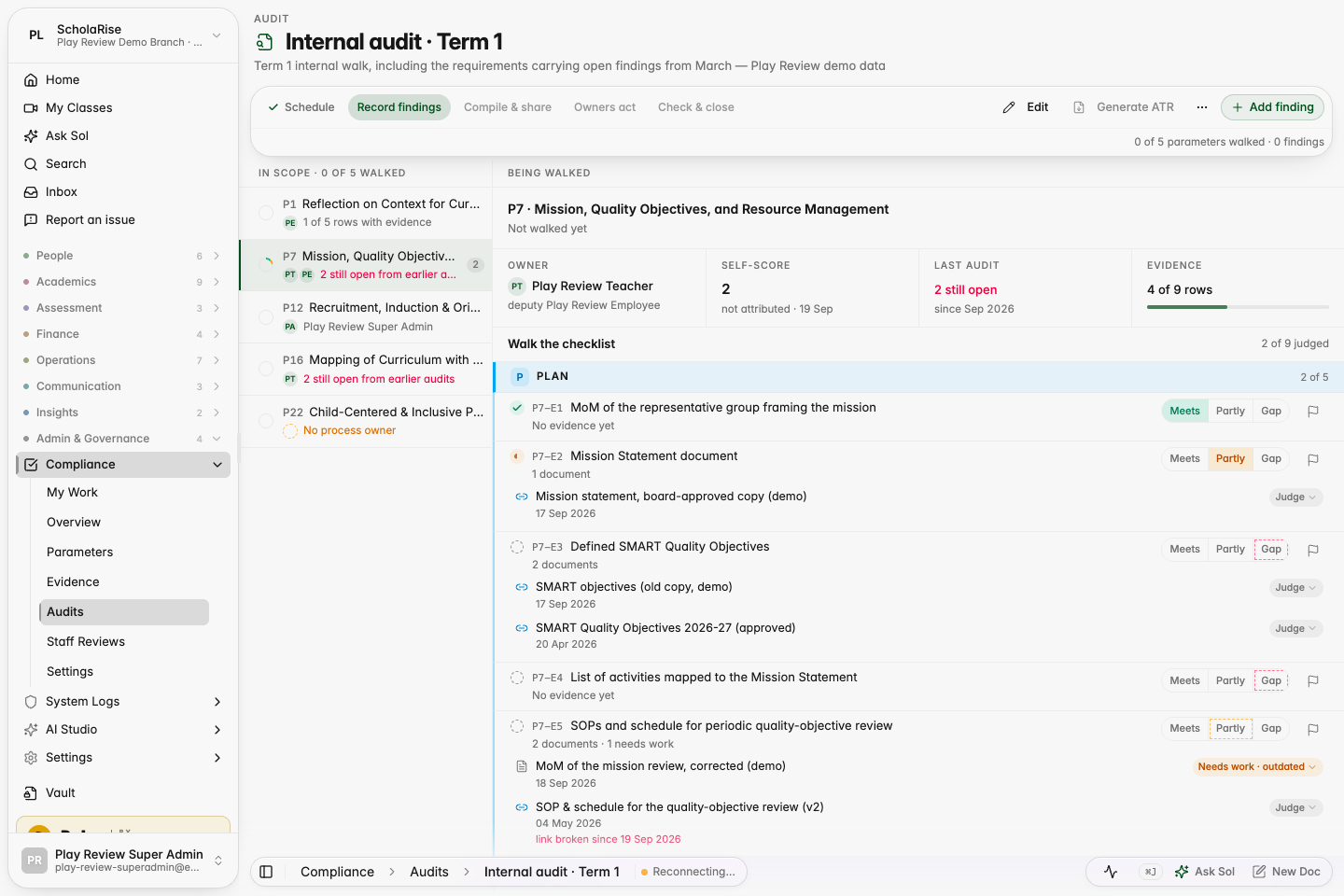
A verdict on every checklist item and document
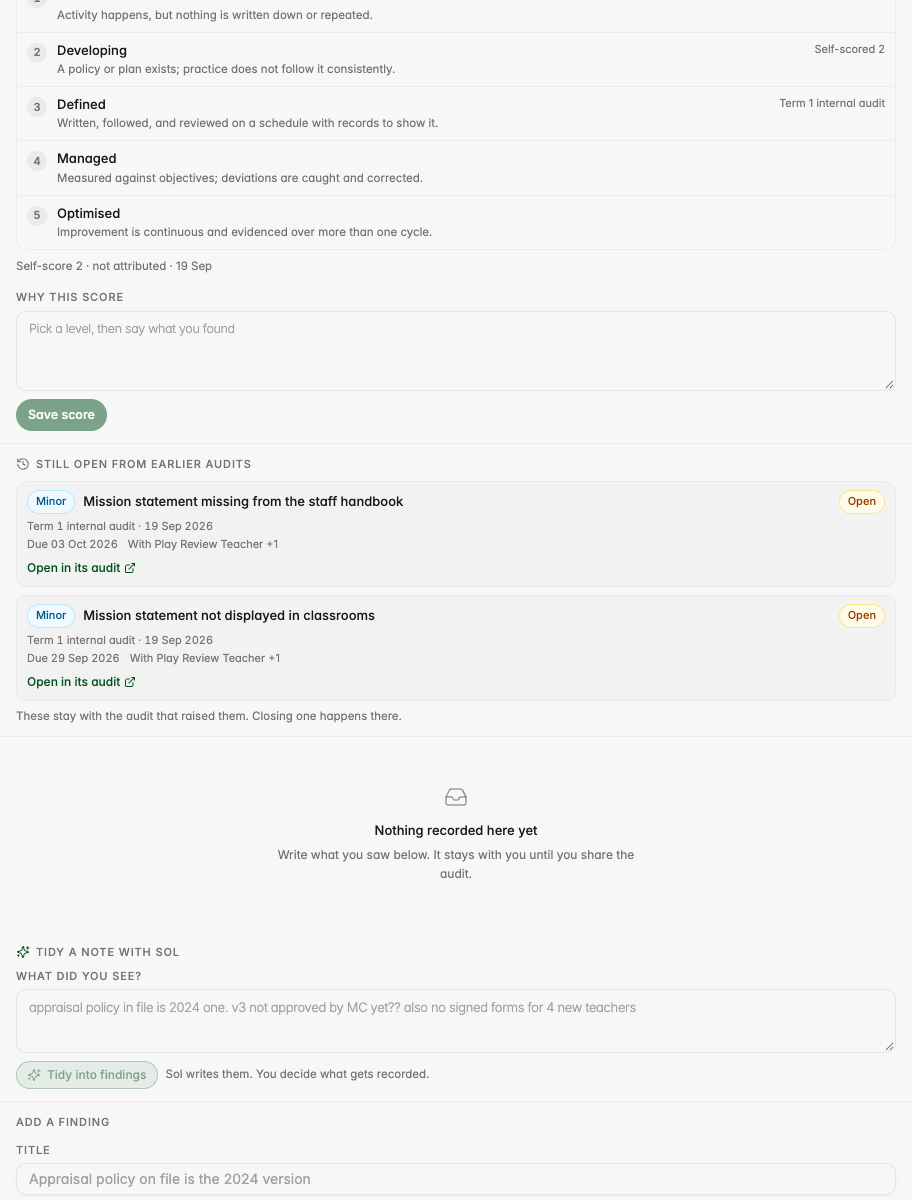
As you walk a parameter you can mark each checklist item as met, partly met or a gap, and accept or flag each document with a reason. Rows you have not judged yet offer themselves so nothing is missed. The maturity score is then picked against the rubric in plain words, with the owner's own score and the last audit marked beside it.
Verdicts on rows and documents during the walk; unjudged rows show a dashed offer.
The score step: rubric rungs with the self-score and last audit marked, and the reason box.
Ask the process owner a question while you audit
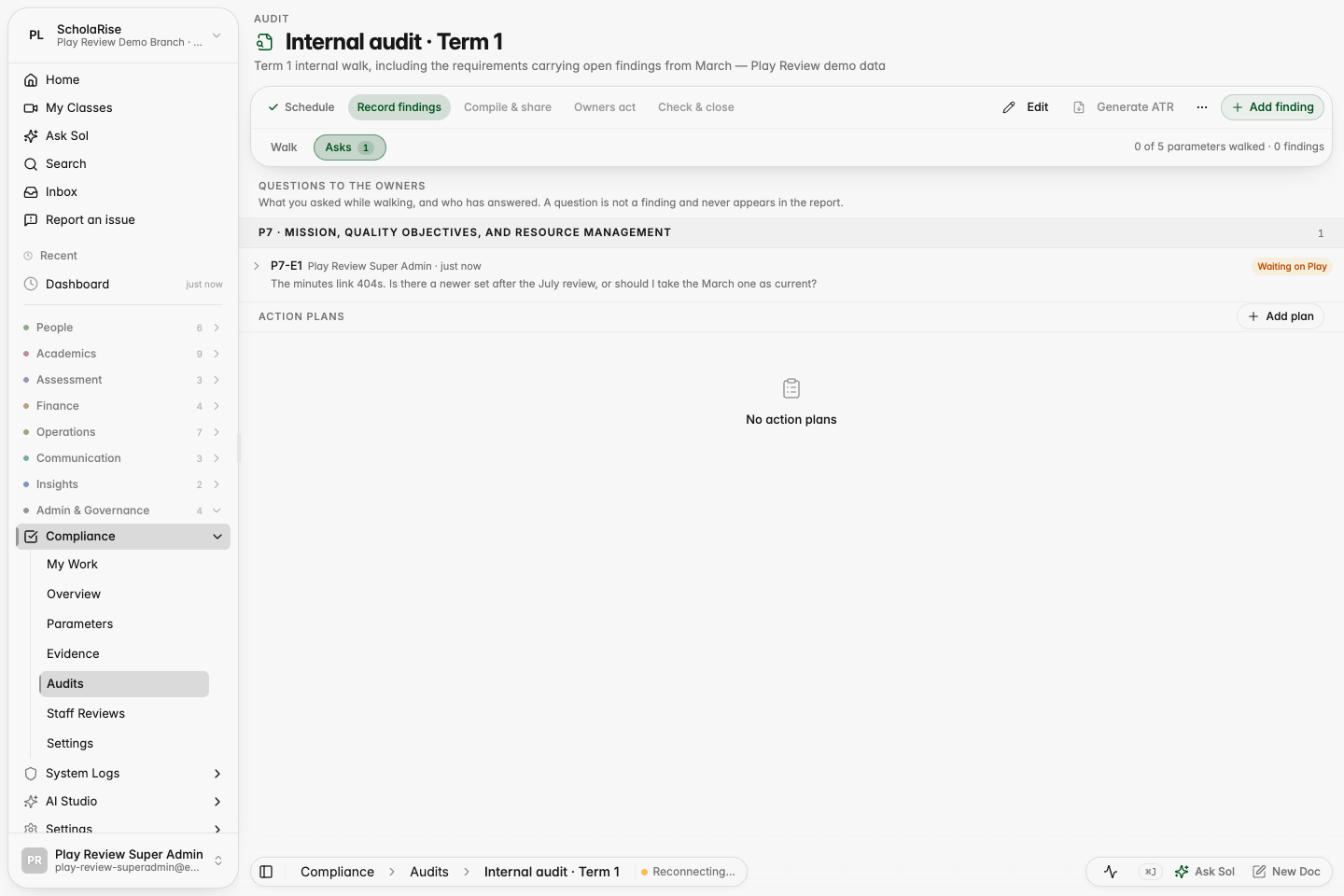
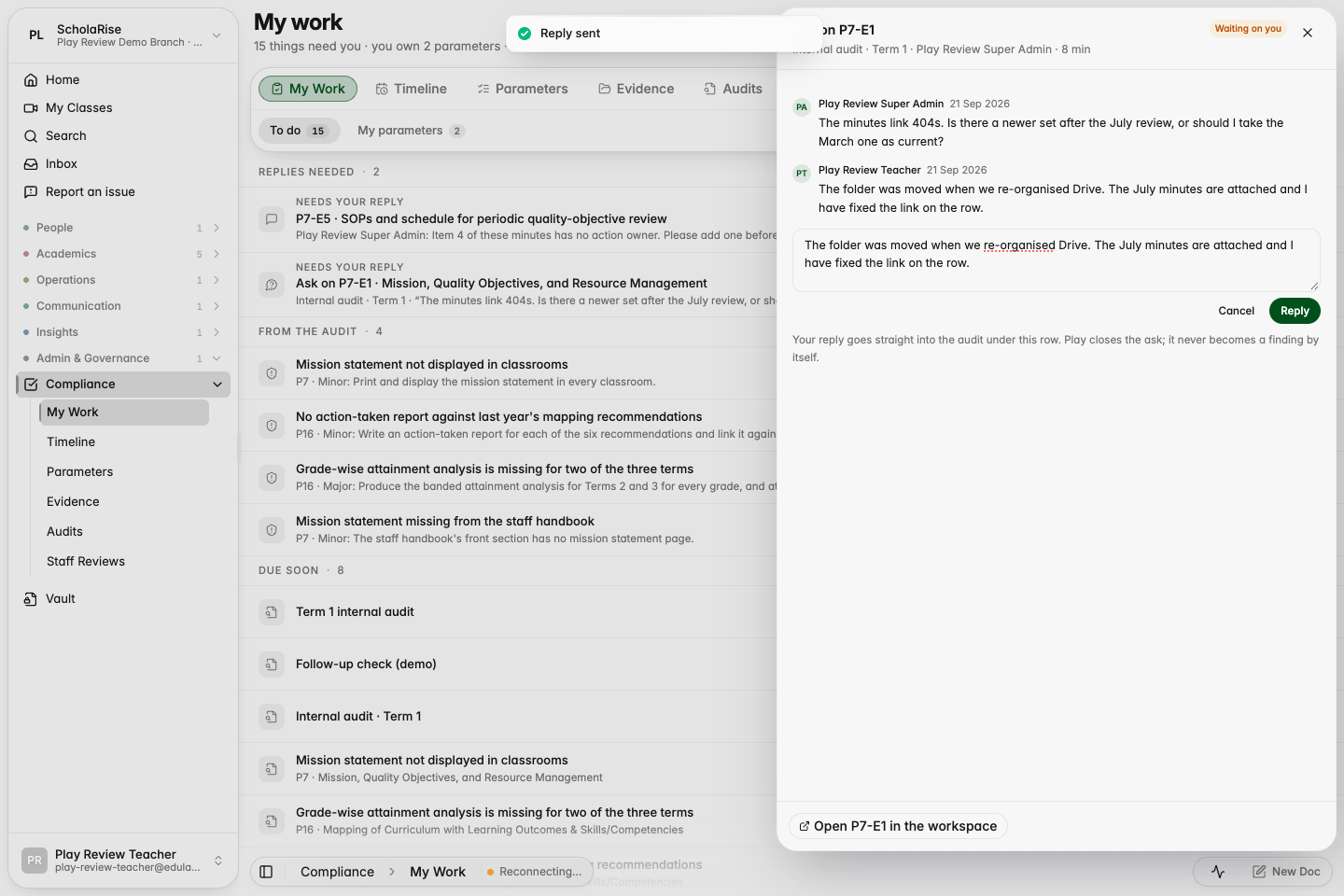
You can now ask the process owner a quick question about a checklist item or a document without breaking off the audit. The owner answers it from My Work rather than waiting for the report, and the reply lands under the row you asked about. An Asks tab shows every question on the audit, grouped by parameter, with who still owes a reply.
The Asks tab: every question on the audit, grouped by parameter, with who still owes a reply.
The owner answers from My Work; the reply lands under the row the auditor asked about.
The same question inside the owner's parameter workspace, marked as an audit ask.
One box for a question, a note or a finding
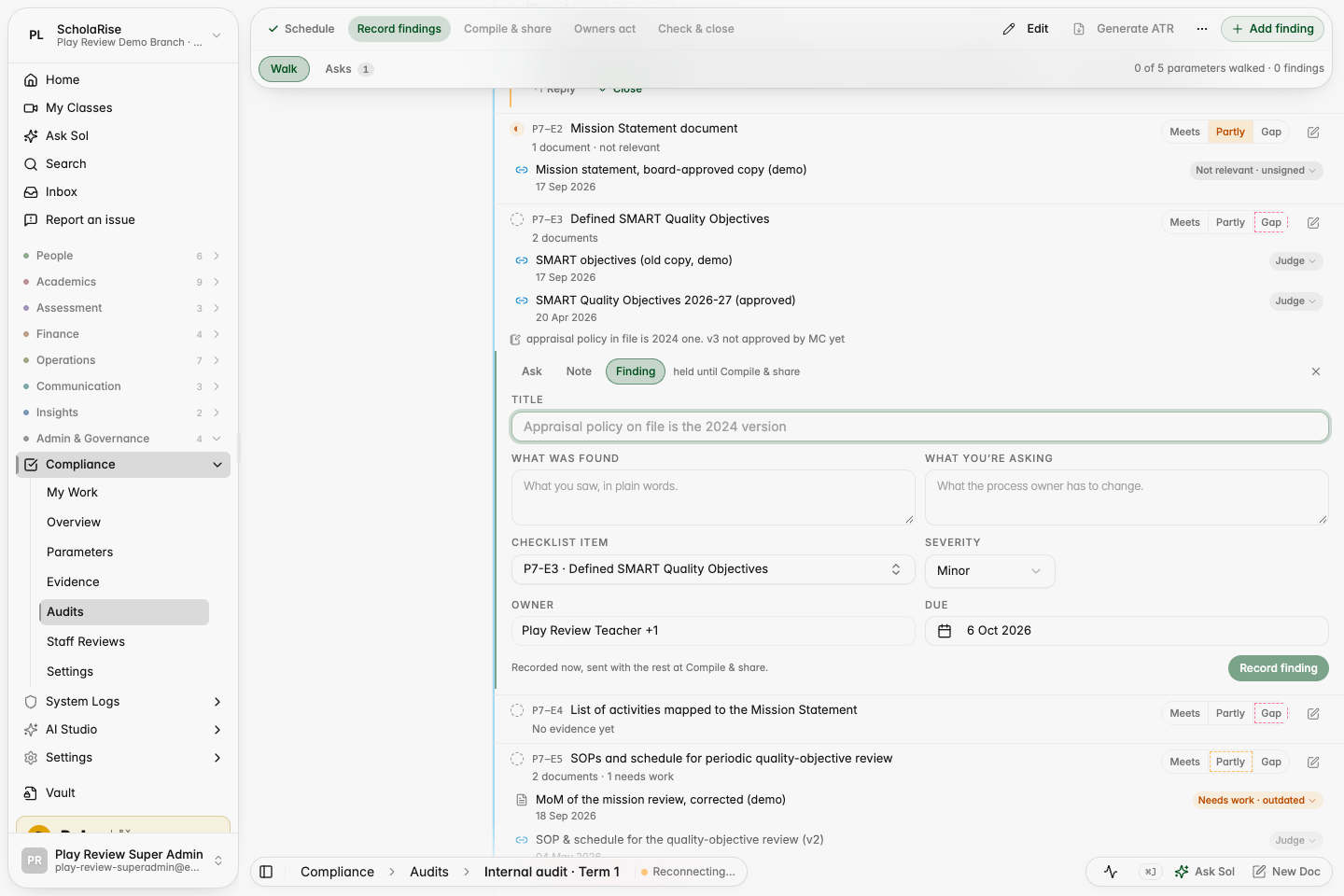
Every checklist item now has a single box with three lanes: ask the owner, keep a private note to yourself, or record a finding that points at that exact item, with the item, owner and due date already filled in. Sol can also turn your notes into findings placed on the right rows.
The composer's Finding lane on a checklist row, with the item, owner and due date already filled in.
See what each owner will receive before you share
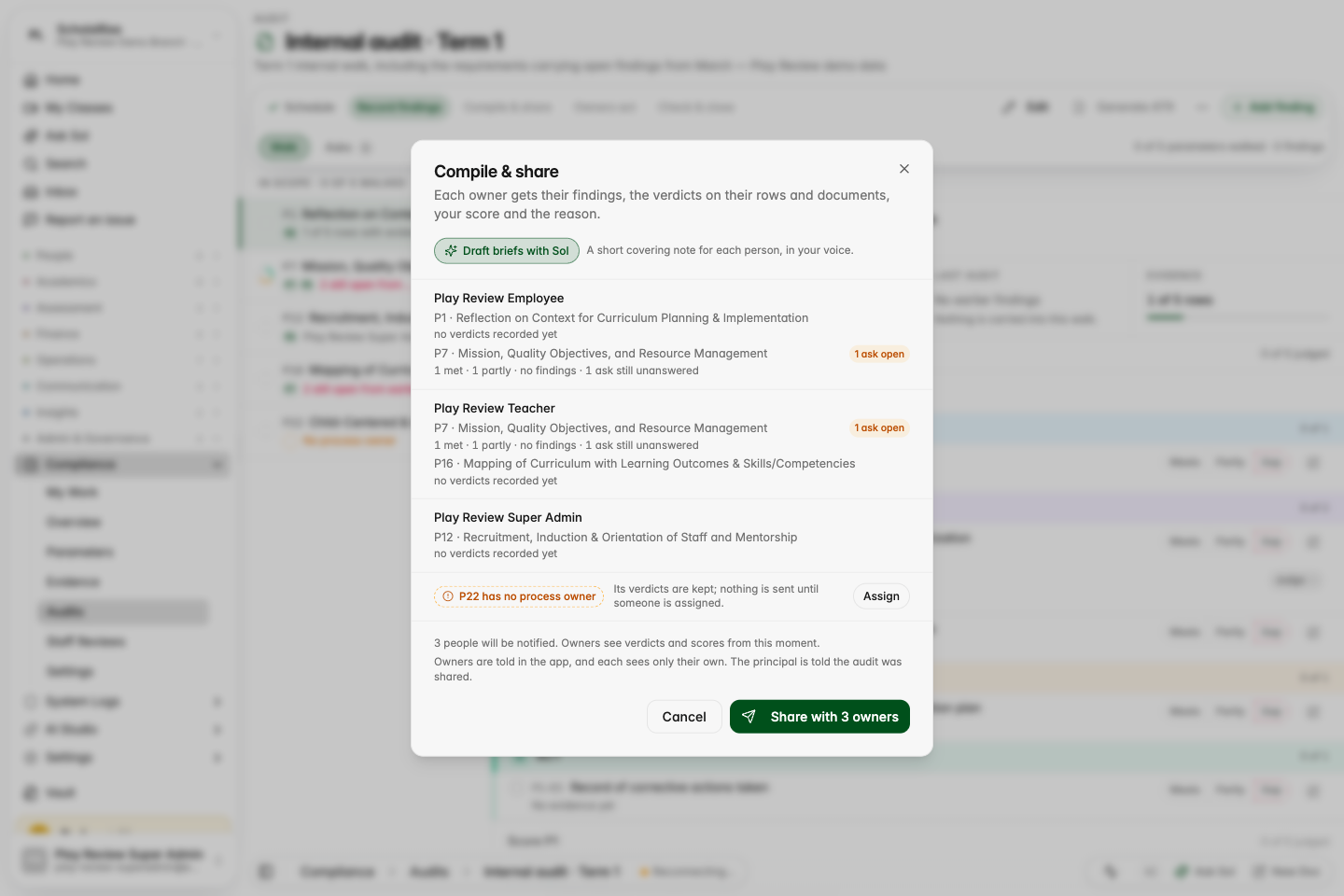
Compile and share now shows one line per process owner with exactly what they will receive, flags a question still waiting for an answer, and calls out a parameter that has no owner. Once you share, owners see the auditor's marks on every checklist item and document inside their own parameter page, beside their self-score, and the Action Taken Report prints them.
Compile & share: one line per owner with what they will receive, an open ask flagged, and an unowned parameter called out.
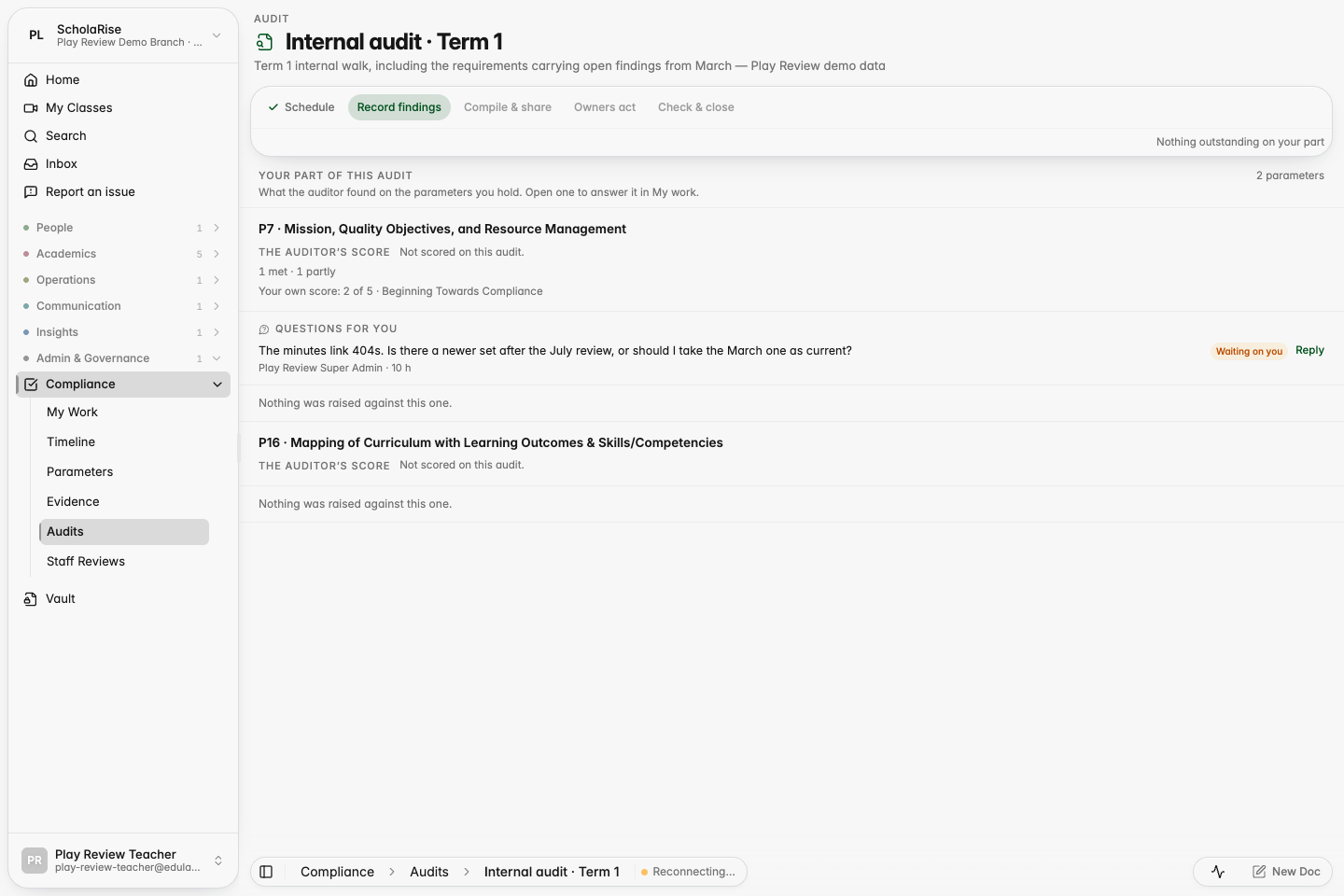
The owner's view of the shared audit: the auditor's tallies beside their own self-score, and the question waiting for them.
The owner's parameter page after the hand-over: the auditor's verdict marks on each checklist row.
Examination
No repeated term column on Class 1 and 2 report cards
Report cards for Classes 1 and 2 no longer show a duplicate, empty term column after you switch campus or academic year.
Book a demoA guided walkthroughWeb · iOS · AndroidAvailable across India
The next step
See ScholaRise in your school.
A real walkthrough with someone who actually runs a school — we'll map what fits your
campus today and what's worth phasing in over the next year.